


uniFLOW Online Chrome Extension – Print with a Chrome device from any location
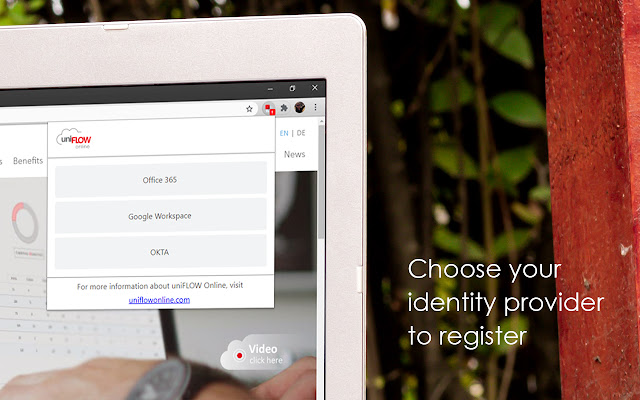
By installing the Chrome Extension for uniFLOW Online users can print directly from their Chrome devices to the cloud, enjoying all the benefits of a secure print environment from any location. All Chrome device printing is included in print reports provided by uniFLOW Online so administrators can easily track and assess printing costs.
Google Chrome OS™ and uniFLOW Online are a strong combination in the educational sector where the use of Chrome devices is widespread. As a modern cloud platform, uniFLOW Online meets the full range of today's cloud printing and scanning business requirements.
• Students and staff are increasingly flexible in their learning habits and working processes. The Chrome Extension allows users to print from any location, on campus or whilst working at another venue, via their own Chrome device.
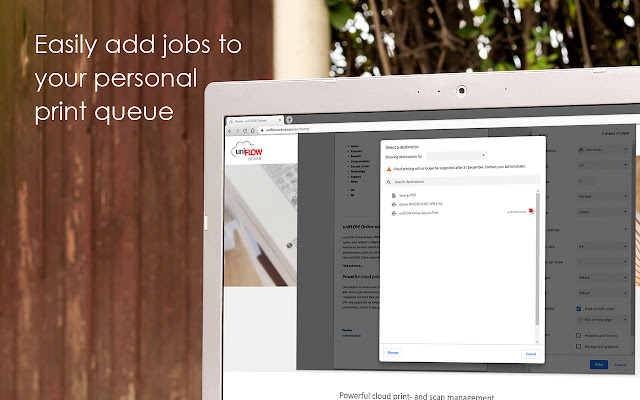
• All print jobs stay in a user's personal secure print queue in uniFLOW Online until the user authenticates at a printer and releases them.
• Print jobs follow users from device to device, allowing the release of print jobs on any printer within their location.
• Users can also alter finishing options directly at the machine before printing.
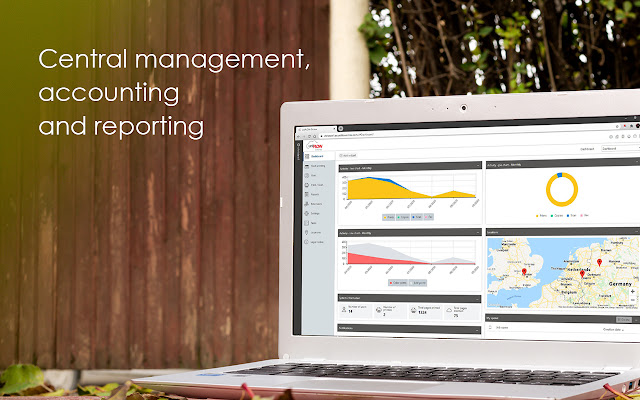
• uniFLOW Online allows administrators to track their organiza¬tion's printing costs so they can be allocated to individual users, devices and departments. A range of reports can be created and exported.
Whilst uniFLOW Online simplifies the essential processes for both users and administrators, it also maintains the highest levels of security at all times.
Integrating with other Google solutions
uniFLOW Online also integrates with Google Drive™ as a cloud-based file hosting system, offering additional flexibility to users in the handling their print and scanned documents.
Print from Google Drive™
uniFLOW Online enables users to print their cloud-stored documents directly from connected devices to Google Drive™. Folder browsing and an option to change finishing options at the device are available. Documents can either be printed directly or saved to the personal print queue for printing at another time.
Scan to Google Drive™
With uniFLOW Online users can scan documents directly to Google Drive™. uniFLOW Online scan profiles allow for easy setup of scanning to Google Drive™. Employees can scan documents, add a file name and meta-data and store documents in either their preferred, pre-selected or previously selected folder for later viewing.
Extore is a team of professionals who are passionate about creating extensions for web browsers. This devotion also gives us opportunity to appreciate work of other people. We get inspired by useful, open source extensions made by developers all over the world. Our strong belief is that one should share helpful add-ons with others. That’s why we’d like to present you our ever-growing list of favourite extensions that have inspired us. Moreover, as you probably have already learned, sometimes struggling for the best brings an end to the good. Talking about add-ons it often turns out that an upgrade is worse then previous version. Also it can become really tricky to get back to the beloved version of your favourite extension. That’s why we’re going to make not only the latest, but all versions of our favourite (and we hope yours too) add-ons available for download. No more compromises, just stick to the version you really like!
 Preparing download link, please wait for seconds
Almost done...
Click to download
Error getting file. Please try again
Preparing download link, please wait for seconds
Almost done...
Click to download
Error getting file. Please try again







