

version 1.0.4 - Download ZIP file
version 1.0.3 - Download ZIP file
version 1.0.2 - Download ZIP file
This extension allows you to flag specified websites by adding a colored label depending on the URL configuration. It also supports regular expression (including wildcards), color picker and positioning preferences.
It is known that it is very common at least a 3 environments or servers in our programming / IT projects (dev, staging, production). Usually all environments are all identical.
It is common to commit mistakes such as changing configuration on wrong environments.
After all who had never faced the situation when we want to do a "little test" thinking it was doing in "dev" and suddenly realized he was on production environment. After all, the environments are identical, except for discreet URL in the browser address bar. This situation is even more common when the application has an administrative interface.
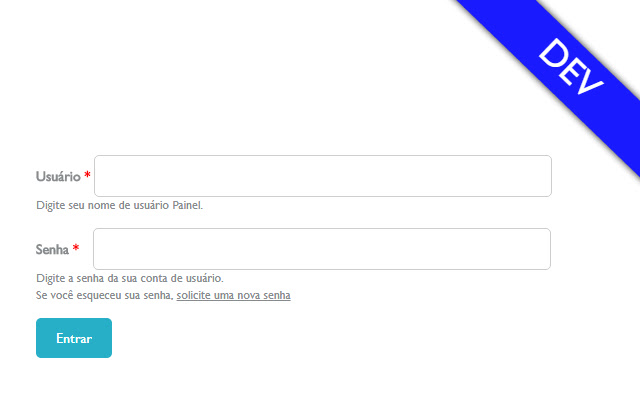
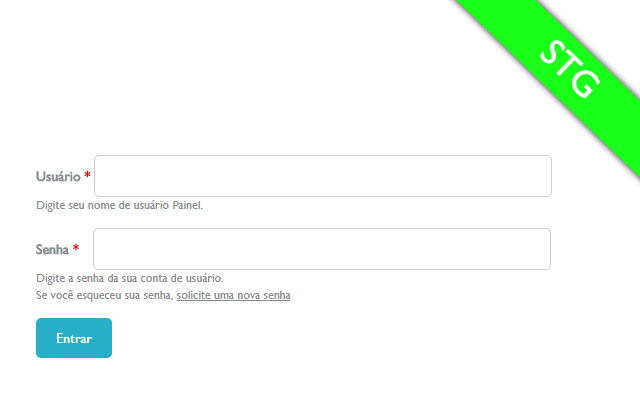
With this in mind this extension for Google Chrome was developed, and makes it possible for you to configure the URLs of yours projects environments and puts a "huge label" on the top corner of the browser, identifying the environment for you
with the color and name, according to what you have previously set.
No more screw ups on production environment!
Available functionalities:
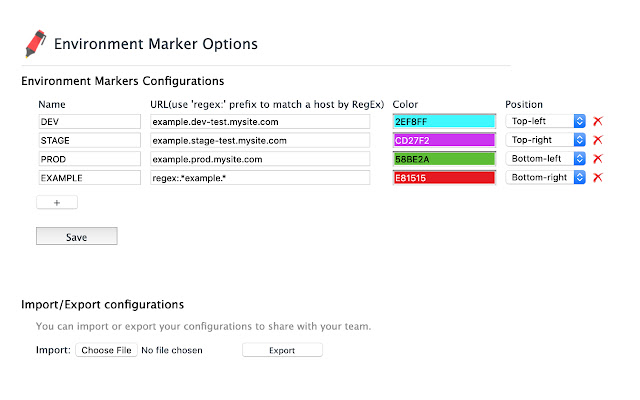
- Color picker to configure label color.
- Support to regular expressions in the URL address (regexp).
- Support to choose the position of the label: Top-right, Top-left, Bottom-right, Bottom-left.
- Support "Quick Config" mode: an easy and fast way to set it up.
How to use:
- After installing, access Bowser Configurations > More Tools > Extensions
OR
click on the red pencil in the right side of the address bar.
- Click on Options menu, over Environment Marker session.
- Configure your Environments and click on Save button.
Latest release notes v1.0.4:
NOTICE: Before updating make sure that you have a backup from your configuration. You can export your configuration using the "Export" functionality under Bowser Configurations > More Tools > Extensions and go to the extension "Options" menu.
- Introduced "Quick Edit" mode which will allow users to configure the extension in an easier way.
Environment Marker is OpenSource and contributions are welcome!
https://github.com/geovanneb/envmarker
Extore is a team of professionals who are passionate about creating extensions for web browsers. This devotion also gives us opportunity to appreciate work of other people. We get inspired by useful, open source extensions made by developers all over the world. Our strong belief is that one should share helpful add-ons with others. That’s why we’d like to present you our ever-growing list of favourite extensions that have inspired us. Moreover, as you probably have already learned, sometimes struggling for the best brings an end to the good. Talking about add-ons it often turns out that an upgrade is worse then previous version. Also it can become really tricky to get back to the beloved version of your favourite extension. That’s why we’re going to make not only the latest, but all versions of our favourite (and we hope yours too) add-ons available for download. No more compromises, just stick to the version you really like!
 Preparing download link, please wait for seconds
Almost done...
Click to download
Error getting file. Please try again
Preparing download link, please wait for seconds
Almost done...
Click to download
Error getting file. Please try again







