

version 2.8.5 - Download ZIP file
version 2.8.1 - Download ZIP file
version 2.9.1 - Download ZIP file
Release 2.9.1 - Removed the support to import web images in online photo editing using context menu
Release 2.9.0 - Now you can save your svg project as html format
Release 2.8.9.2 - Share image on Imgur deprecated for security reasons.
Release 2.8.9.1 - Update content security policy in manifest about level of iframe.
Release 2.8.9 - Update imgur APIs
Release 2.8.8 - Removed some permissions not required
Release 2.8.7 - Update jQuery UI with last release
=============
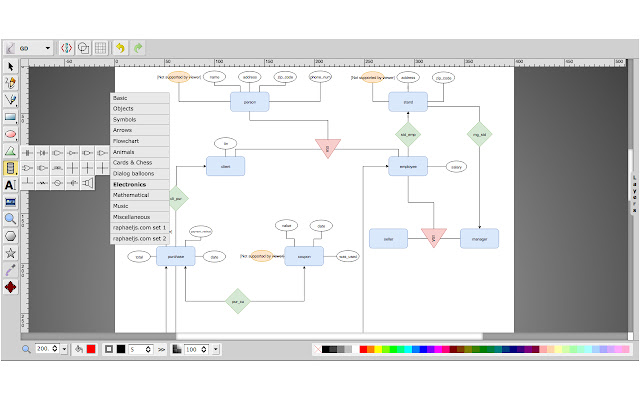
Is HTML5 vector graphics editor with following features:
* Free-hand drawing
* Lines, Polylines, Rects/Squares, Ellipses/Circles, Polygons/Curved Paths, Stylable Text
* Raster Images
* Select/move/resize/rotate
* Undo/Redo
* Color/Gradient picker
* Group/ungroup and Align
* Zoom
* Layers
* Convert Shapes to Path
* Wireframe Mode
* Save drawing to SVG
* Linear Gradient Picking
* View and Edit SVG Source
* UI Localization: العربية, Čeština, Deutsch, English, Español, فارسی, Français, Frysk, हिन्दी, हिंदी, Italiano, 日本語, Nederlands, Polski, Português (BR), Română, Русский, Slovenčina, Slovenščina, 简体中文, 繁體中文
* Resizable Canvas
* Change Background
* Draggable Dialogs
* Resizable UI (SVG icons)
* Open Local Files
* Import SVG into Drawing
* Connector lines and Arrows
* Smoother freehand paths
* Editing outside the canvas
* Add/edit Sub-paths
* Multiple path segment selection
* Support for foreign markup (MathML)
* Radial Gradients
* Configurable Options
* Eye-dropper tool
* Stroke line join and line cap
* Export as PNG, JPEG, BMP, WEBP and PDF formats
* In-group editing
* Image library (from external service in https layer) and Shape library including Electronics symbols
* Context menu
* Cut/Copy/Paste
* Gridlines, snap to grid
* Merge layers
* Duplicate layer
* Share Image on Imgur using context menu - deprecated for security reasons
* Import image in online photo editor using context menu (this feature work online using external service in https layer)
==================
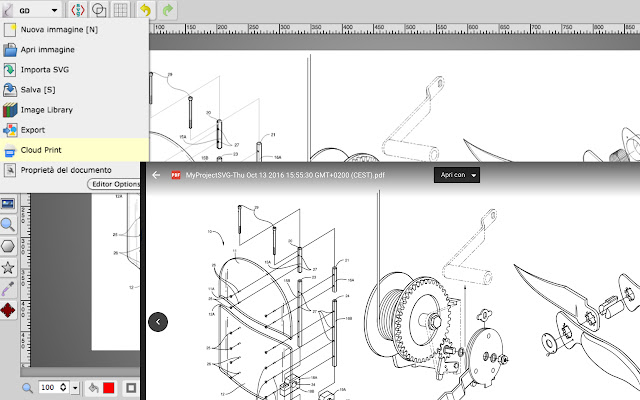
Release 2.8.5 - Added button to Cloud Print as PNG format
Release 2.8.1 - Fix bug about import image in online photo editor express tool with context menu
Extore is a team of professionals who are passionate about creating extensions for web browsers. This devotion also gives us opportunity to appreciate work of other people. We get inspired by useful, open source extensions made by developers all over the world. Our strong belief is that one should share helpful add-ons with others. That’s why we’d like to present you our ever-growing list of favourite extensions that have inspired us. Moreover, as you probably have already learned, sometimes struggling for the best brings an end to the good. Talking about add-ons it often turns out that an upgrade is worse then previous version. Also it can become really tricky to get back to the beloved version of your favourite extension. That’s why we’re going to make not only the latest, but all versions of our favourite (and we hope yours too) add-ons available for download. No more compromises, just stick to the version you really like!
 Preparing download link, please wait for seconds
Almost done...
Click to download
Error getting file. Please try again
Preparing download link, please wait for seconds
Almost done...
Click to download
Error getting file. Please try again







