
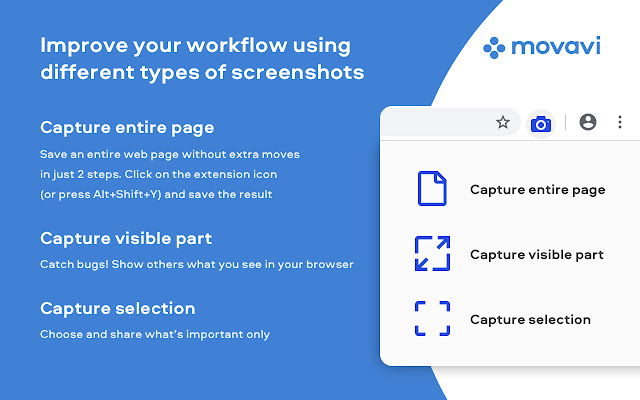


Movavi ScreenShot is a screenshot Chrome extension that lets you grab full and partial screen captures on Chrome. It’s one of the best screenshot add-ons that you can find in the Google Web store.
To make a screengrab and save it at high quality is easier than you might think. Install the free screenshot tool for Chrome and start taking webpage screenshots today. It’s equally handy to take a screenshot of the entire page or capture a small part of the screen.
The main features of the Movavi screenshot app:
- Suits to Google Chrome and Mozilla Firefox.
- Can print-screen Google Chrome at multiple sizes: Chrome full page screenshots, specific parts of the screen, or full-screen capture, including all open tabs.
- Requires no special permissions for installation.
- Can be used in incognito mode.
- Supports free downloading of screencaps.
To install the Chrome screenshot extension, hit the Add to Chrome button in the top right corner of this page.
Check that the ScreenShot icon has appeared in the top right corner of your browser. Hit it and choose the size of the area you want to capture – the entire page, the full screen, or selected parts. Scrolling down the page from top to bottom causes Movavi ScreenShot to capture the page automatically. Wait for a few seconds until the capturing process is finished. Save the screenshot to your computer, choosing an appropriate folder. The image will be saved in JPG format by default. Now you can edit the screenshot whenever you wish or upload it to the cloud.
If you need a screen clipper, you can check our desktop screen recording software. It allows you to take screenshots and edit them. You can also record screen, webcam, microphone and computer sounds. The program offers various saving formats so that you won’t need third-party software for conversion.
Extore is a team of professionals who are passionate about creating extensions for web browsers. This devotion also gives us opportunity to appreciate work of other people. We get inspired by useful, open source extensions made by developers all over the world. Our strong belief is that one should share helpful add-ons with others. That’s why we’d like to present you our ever-growing list of favourite extensions that have inspired us. Moreover, as you probably have already learned, sometimes struggling for the best brings an end to the good. Talking about add-ons it often turns out that an upgrade is worse then previous version. Also it can become really tricky to get back to the beloved version of your favourite extension. That’s why we’re going to make not only the latest, but all versions of our favourite (and we hope yours too) add-ons available for download. No more compromises, just stick to the version you really like!
 Preparing download link, please wait for seconds
Almost done...
Click to download
Error getting file. Please try again
Preparing download link, please wait for seconds
Almost done...
Click to download
Error getting file. Please try again







