



The Microsoft Clarity Live extension helps you easily see where users engage with your site, where they get stuck, and test out new ideas. You don't have to go to a separate website or comb through columns of data to get the info you need, either. Clarity Live does the hard work for you by creating heatmaps and session recordings that you can view without leaving your site. These data visualizations make it simple to analyze engagement, optimize your design, and quickly identify and fix problems.
How it works: Download the extension and set up a free Clarity account if you don't already have one. Then simply navigate to the page or specific experience you want to explore and select the heatmap, area heatmap, or session recording icon on the Clarity widget. Voila! Whichever Clarity feature you chose launches right over the page you're on. That's it. Analytics has never been so easy!
Highlights
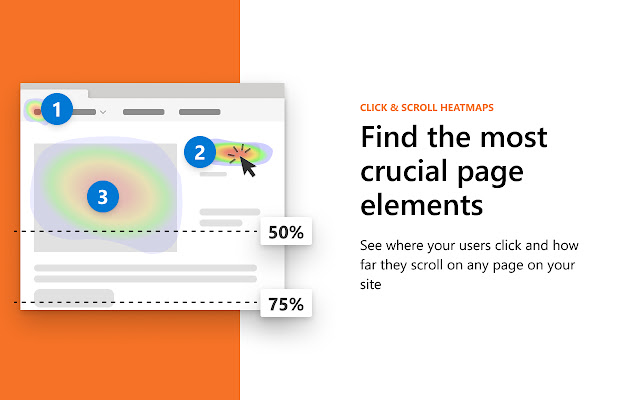
Heatmaps: Clarity Live combines two types of heatmap into one view. Click heatmaps capture the most clicked (or tapped) elements on a page. Scroll heatmaps reveal the most viewed areas on a page by showing how far users scroll. Clarity Live makes it easy to see engagement for flyouts, popups, dropdown lists, and other elements that can be difficult to capture in a typical heatmap experience.
Area heatmaps: Instead of visualizing engagement on the element level, these heatmaps allow you to select an area, which could contain several elements, to get the total clicks and click distribution rate. An area could include just one element or be as large as the entire page. You're in control.
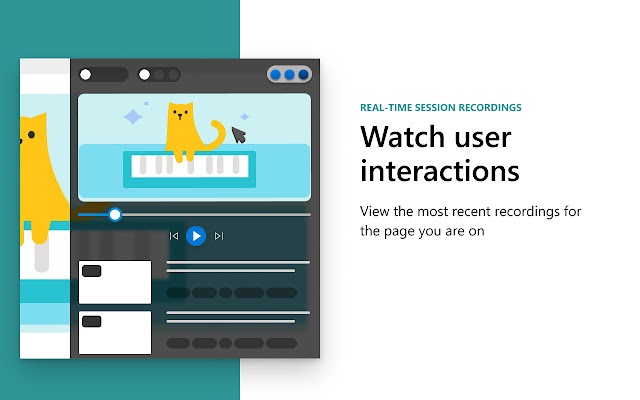
Session recordings: These give you a front-row seat to individual sessions. These animated renderings capture how a user explored your site, by showing you where they clicked or tapped, where they hesitated, and how they moved their cursor. Clarity Live makes it a snap to find recordings for a specific experience, too. For example, if you wanted to see how a user engages with a particular popup, you could fire the popup on your site, and select the recording icon on the widget. You would instantly see relevant recordings made within the last three days.
A note on pricing: Clarity is 100% free. You'll never be asked to upgrade to a paid version. No credit card is required to sign up for a Clarity account. Learn more(https://clarity.microsoft.com/pricing)
Stop guessing. Get Clarity.
Happy visualizing!
Extore is a team of professionals who are passionate about creating extensions for web browsers. This devotion also gives us opportunity to appreciate work of other people. We get inspired by useful, open source extensions made by developers all over the world. Our strong belief is that one should share helpful add-ons with others. That’s why we’d like to present you our ever-growing list of favourite extensions that have inspired us. Moreover, as you probably have already learned, sometimes struggling for the best brings an end to the good. Talking about add-ons it often turns out that an upgrade is worse then previous version. Also it can become really tricky to get back to the beloved version of your favourite extension. That’s why we’re going to make not only the latest, but all versions of our favourite (and we hope yours too) add-ons available for download. No more compromises, just stick to the version you really like!
 Preparing download link, please wait for seconds
Almost done...
Click to download
Error getting file. Please try again
Preparing download link, please wait for seconds
Almost done...
Click to download
Error getting file. Please try again







