


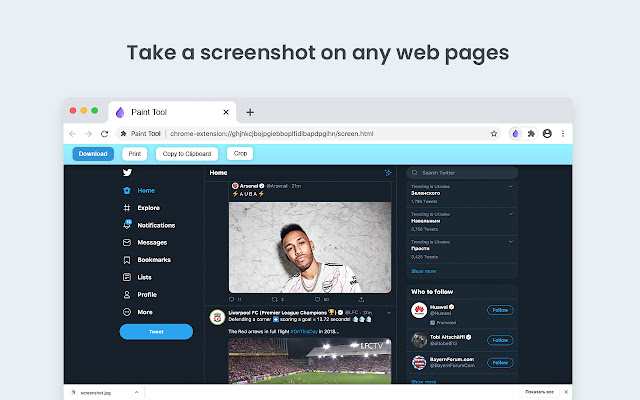
Paint Tool - draw on any website, add text, add lines, and highlight! With Web Paint, you can use your mouse or touchscreen to draw on the web or on PDFs and save it to your computer. Paint, draw, and mark on any webpage or website.
Easy to set up Paint Tool
1. Install the Web Paint extension, and reload the page to let the extension work.
2. Click on the extension whenever you need to draw or highlight something.
3. Drawings are automatically saved.
4. Take Screenshot.
5. Reload the page to exit the draw mode from the browser.
Accustomed to reading books and highlighting important texts or just wanted to draw on any website in real time in the comfort of your browser? This simple extension will help you on it!
Want to share your screen for cases like reporting technical issues, making product demos or how-to tutorials? Here are reasons to choose Paint Tool for Chrome
1. Has all the features of MS Paint.
2. Adjustable thickness, transparency, and preset color.
3. Take a screenshot of the page.
Paint Online is lite weight and a free extension for Chrome that can be used for educational purposes and introduce anyone to drawing right from your browser. In addition, it can practice the alphabet, numbers, and paintings while educating.
Perform full page screen capture. Save image screenshot to PDF or images. Instant screenshots are stored locally, and produce no traffic. Screenshot tool can work offline.
The creation of a screen capture is easy as it ever could be. Choose from the full-screen or partial area and take it in a click. Then you can fully customize screenshots like add text, drawing lines, arrows, and shapes.
Why Paint - draw online - better than competitors?
✓ Copy to clipboard
✓ Print images
✓ E-Mail
✓ Export captures to external editor
✓ Add page information to screenshots (URL, title, time, domain, etc)
You can share your images on Pinterest board.
It also contains the functions you need:
- Hot-keys to each tool
- Save drawing with a screenshot option
- Save image to your PC or Print
- Crop the necessary area of an image and save it
Important Notice
After installation / update, please reload the active tabs in your browser for the Web Paint to work.
Rate us! We work hard to provide you with the best experience for Chrome. If you like our extension, please provide us with a 5 star rating! If you have any questions, remarks or suggestions, we’d be happy to hear them! Please refer to our contact details below.
Extore is a team of professionals who are passionate about creating extensions for web browsers. This devotion also gives us opportunity to appreciate work of other people. We get inspired by useful, open source extensions made by developers all over the world. Our strong belief is that one should share helpful add-ons with others. That’s why we’d like to present you our ever-growing list of favourite extensions that have inspired us. Moreover, as you probably have already learned, sometimes struggling for the best brings an end to the good. Talking about add-ons it often turns out that an upgrade is worse then previous version. Also it can become really tricky to get back to the beloved version of your favourite extension. That’s why we’re going to make not only the latest, but all versions of our favourite (and we hope yours too) add-ons available for download. No more compromises, just stick to the version you really like!
 Preparing download link, please wait for seconds
Almost done...
Click to download
Error getting file. Please try again
Preparing download link, please wait for seconds
Almost done...
Click to download
Error getting file. Please try again







