
version 2.0.1 - Download ZIP file
version 2.0.0 - Download ZIP file
version 1.1.3 - Download ZIP file
version 1.1.2 - Download ZIP file
version 1.1.0 - Download ZIP file
version 1.0.4 - Download ZIP file
version 1.0.3 - Download ZIP file
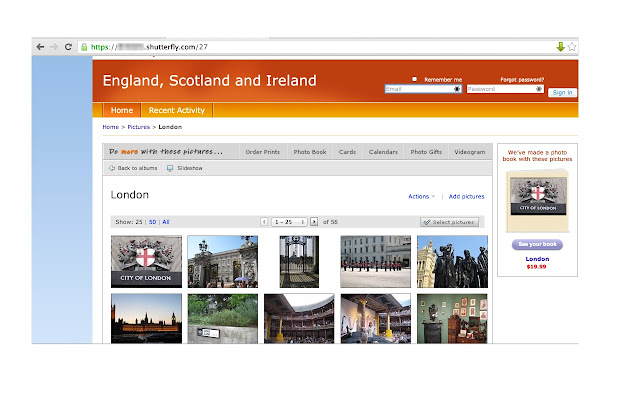
This simple extension allows you to download the contents of your Shutterfly album to your computer for backup. This extension works only on shared sites created with Shutterfly. It will not work from your account in Shutterfly.
**** NOTE: If the extension doesn't work for you, send your comments to https://shutterflyextension.freshdesk.com/support/tickets/new ****
Please note, Shutterfly Exporter Chrome Extension is not associated with Shutterfly. It is a free tool that is only made possible by community support, there is no corporation behind it. Hence, if you'd like to see changes to the tool, please support it via one of the following ways
Square Cash https://cash.app/app/JNLQDBP
PayPal https://www.paypal.com/donate/?token=barx6_FpUTzjrHQBKLT-AYCIWE-FBnwEVzeHjeKuZMzKtFcqaYqLumd2RnK7byyEuvAYFW&country.x=US&locale.x=US
Bitcoin https://onename.com/katzmopolitan
Coinbase https://www.coinbase.com/join/katzmopolitan
Here is how it works
- In your Shutterfly account, create a "share site" for the pictures that you want to download. This will create a site like "mypictures.shutterfly.com". You can create private site if you want to make sure no one has access to it.
- Open the share site url in Chrome
- Click on any subfolders with pictures that you have such that you see actually images appear
- If the album is available for extraction, you will see an icon in right corder the URL bar
- Click the arrow and press “Download my pictures”
- If you get a notification about downloading files, click “Allow”
- Your images should start downloading shortly. They will be downloaded into the default downloads folder.
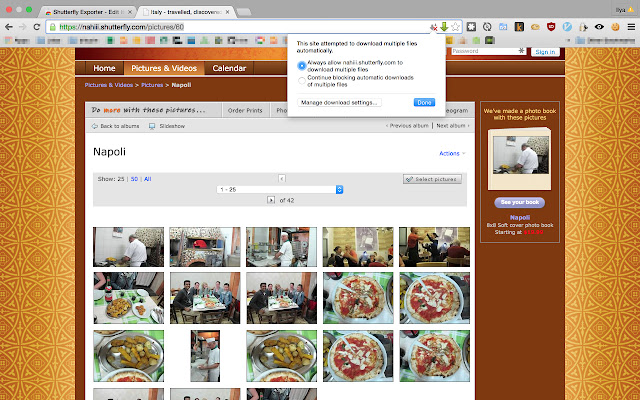
If you get a prompt about saving each individual file, please make sure that you've allowed the extension so save multiple files at a time (see screenshot)
This extension is not affiliated with Shutterfly.com in anyway. I do not take an responsibility for your usage of the tool.
This is an open source project. Source code can be accessed via https://bitbucket.org/katzmopolitan/shutterfly_export/overview
License info:
https://bitbucket.org/katzmopolitan/shutterfly_export/raw/master/LICENSE
Extore is a team of professionals who are passionate about creating extensions for web browsers. This devotion also gives us opportunity to appreciate work of other people. We get inspired by useful, open source extensions made by developers all over the world. Our strong belief is that one should share helpful add-ons with others. That’s why we’d like to present you our ever-growing list of favourite extensions that have inspired us. Moreover, as you probably have already learned, sometimes struggling for the best brings an end to the good. Talking about add-ons it often turns out that an upgrade is worse then previous version. Also it can become really tricky to get back to the beloved version of your favourite extension. That’s why we’re going to make not only the latest, but all versions of our favourite (and we hope yours too) add-ons available for download. No more compromises, just stick to the version you really like!
 Preparing download link, please wait for seconds
Almost done...
Click to download
Error getting file. Please try again
Preparing download link, please wait for seconds
Almost done...
Click to download
Error getting file. Please try again







