

version 1.2.11.0 - Download ZIP file
version 1.2.9.0 - Download ZIP file
version 1.2.6.0 - Download ZIP file
version 1.2.5.0 - Download ZIP file
version 1.2.3.0 - Download ZIP file
version 1.1.0.9 - Download ZIP file
version 1.1.0.8 - Download ZIP file
version 1.1.0.7 - Download ZIP file
version 1.1.0.6 - Download ZIP file
version 1.1.0.3 - Download ZIP file
version 1.1.0.2 - Download ZIP file
version 1.1.0.1 - Download ZIP file
version 1.1 - Download ZIP file
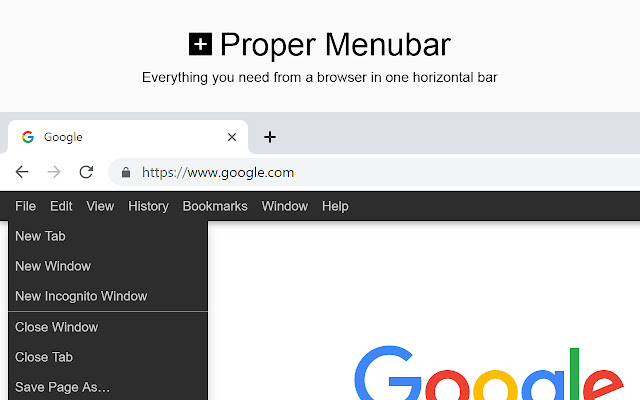
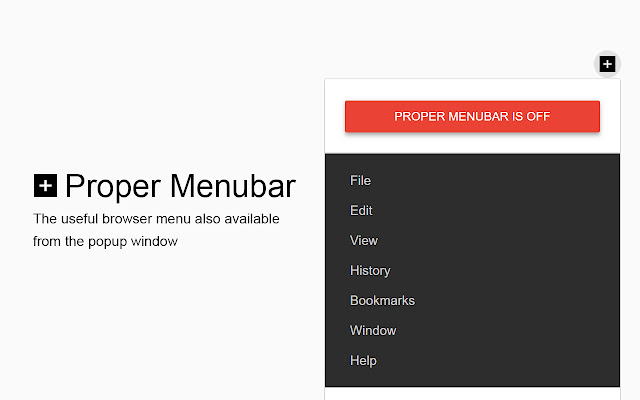
Everything you need from a browser in one horizontal bar. That includes the File, Edit, View, History, Bookmarks, Window, and Help menu items.
And with one single click on the X icon, you hide the horizontal bar. Proper Menubar goal is to find your function in a proper way, that by categorizing every function under the right menu part.
Proper Menubar is a lightweight and useful add-in designed to open your useful browser functions. Such as to save a file, cut and copy text, select all items, etc. As a user, you can also choose for the ultimate Google Product bar. So you can access fast your favorite Google Product. It works for all websites, and there is an option to show this bar on all websites.
Choose between the following bars:
+ Web Browser menu bar (default option)
+ Google Products menu bar
Few great features in this browser extension:
+ Option to choose between the browser menu or the Google Products list
+ Option to mute/unmute the sound on the current tab
+ Option to change the order of the Google Products in the bar
+ Option to change the URL to your Google country (UK, US, NL, ES, FR, JP, RU, etc)
+ Option to get the search keyword
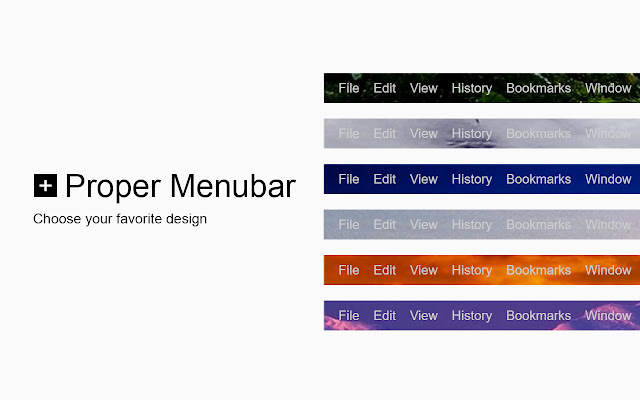
+ Option to customize the background and color
+ Option to add a drop shadow
+ Option to place the bar on the top or bottom of your screen
+ Option to open the link in the existing tab
Project Information:
https://www.stefanvd.net/project/proper-menubar/browser/
Required Permissions:
"contextMenus":
This to add the menu items in the web browser context menu.
"activeTab":
This is needed for the following features: to show or remove the bar, and execute the context menu action on the currently open tab.
"storage":
This to save the settings on your local computer, and to sync it to your web browser account.
"pageCapture":
This to save the currently open web page as an MHTML file type.
"clipboardWrite":
This to write the selected text with 'copy' or 'cut' function in your clipboard.
"clipboardRead":
This to read the saved text in your clipboard.
"bookmarks":
This to create a custom bookmark in your bookmark manager page.
Note: YouTube is a trademark of Google Inc. Use of this trademark is subject to Google Permissions.
Google and the Google logo are registered trademarks of Google Inc.
<<< Option feature >>>
To protect your eyes at night and to get focus on the video player such as YouTube™. It's recommended to use and install the Turn Off the Lights
https://chrome.google.com/webstore/detail/bfbmjmiodbnnpllbbbfblcplfjjepjdn
Extore is a team of professionals who are passionate about creating extensions for web browsers. This devotion also gives us opportunity to appreciate work of other people. We get inspired by useful, open source extensions made by developers all over the world. Our strong belief is that one should share helpful add-ons with others. That’s why we’d like to present you our ever-growing list of favourite extensions that have inspired us. Moreover, as you probably have already learned, sometimes struggling for the best brings an end to the good. Talking about add-ons it often turns out that an upgrade is worse then previous version. Also it can become really tricky to get back to the beloved version of your favourite extension. That’s why we’re going to make not only the latest, but all versions of our favourite (and we hope yours too) add-ons available for download. No more compromises, just stick to the version you really like!
 Preparing download link, please wait for seconds
Almost done...
Click to download
Error getting file. Please try again
Preparing download link, please wait for seconds
Almost done...
Click to download
Error getting file. Please try again







