


version 1.1.0 - Download ZIP file
version 1.2.22 - Download ZIP file
version 1.2.20 - Download ZIP file
version 1.2.19 - Download ZIP file
version 1.2.18 - Download ZIP file
version 1.2.10 - Download ZIP file
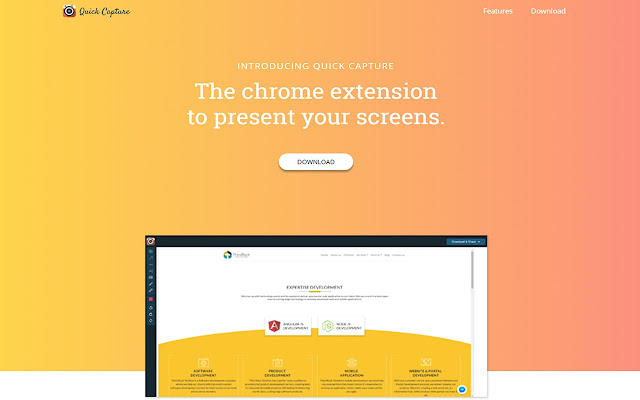
Capture, annotate and share your images or browser screen with a single click and upload to Drive, Dropbox or Slack.
Quick Capture is one of the perfect screen capturing and image annotation chrome extension. It will ease up tasks like commenting on your monthly sales charts or annotating the future business plan or hide the sensitive information or just make a small informative graphic for your kid.
You can do all the screen capturing and editing work with Quick Capture in a matter of minutes. With our simple one-click share/save/download/print options, share it with your work team or clients.
<Capture>
1. Capture entire page, visible area, desktop capture, snippets or upload a local image.
2. Quick Capture supports PNG and JPEG for image uploads.
3. Added keyboard shortcuts to capture visible page, capture the entire page, select local image.
4. Added context menu support
5. Added history support
6. Sign in with Facebook and Google
7. Send to Slack.
<Annotate and Edit>
1. Annotate any images & PDFs with square, circle, arrows, line or pencil to make custom shapes.
2. Added support of ctrl+z to undo your changes
3. Delete a shape with the delete key
4. Hide or highlight the important areas.
5. Zoom-in and Zoom-out your image
6. Added font size
<Save and Share>
1. Save the screenshot to the local hard drive.
2. One click upload to the Quick capture server and available for next 10 day via the shareable link.
3. A quick upload to your Google Drive and Dropbox.
4. Directly share with your team via Slack.
5. Now user can give their own name to the file while downloading.
<Update and Privacy Policy>
Usage of the Quick Capture browser extension requires granting it permission to capture anonymous clickstream data. Please review our specific EULA at http://share.quickcapture.co.in/#/terms-of-service and privacy policy http://share.quickcapture.co.in/#/privacy-policy for more details. You can disable it in the options page if you prefer not to share the data.
<Notice>
If you can't find quick capture icon in your browser, please re-enable it here chrome://extensions/.
<Bug Report and Suggestions>
We appreciate and receive many user suggestions and requests for improvements. If you are looking for a particular feature that you would like to see added or experience a bug for reporting, you can drop down an e-mail at [email protected]. Doing so will allow us to consider any improvements and correct any bugs as soon as possible.
Happy Quick Capturing!
Extore is a team of professionals who are passionate about creating extensions for web browsers. This devotion also gives us opportunity to appreciate work of other people. We get inspired by useful, open source extensions made by developers all over the world. Our strong belief is that one should share helpful add-ons with others. That’s why we’d like to present you our ever-growing list of favourite extensions that have inspired us. Moreover, as you probably have already learned, sometimes struggling for the best brings an end to the good. Talking about add-ons it often turns out that an upgrade is worse then previous version. Also it can become really tricky to get back to the beloved version of your favourite extension. That’s why we’re going to make not only the latest, but all versions of our favourite (and we hope yours too) add-ons available for download. No more compromises, just stick to the version you really like!
 Preparing download link, please wait for seconds
Almost done...
Click to download
Error getting file. Please try again
Preparing download link, please wait for seconds
Almost done...
Click to download
Error getting file. Please try again







