


Enhance your Wikipedia experience with a beautiful, clean, modern design that's fully customizable.
Once installed, Modern will simply apply the new look and features to existing Wikipedia article pages, without you having to do anything.
All current features on Wikipedia are supported, this extension simply builds upon the existing interface to offer many improvements, including:
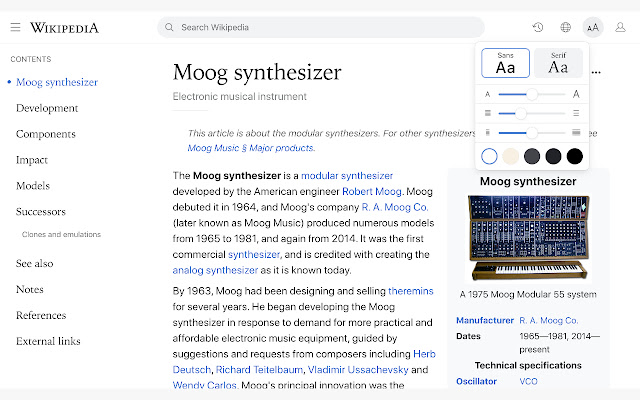
✔ Themes (light, dark, sepia, slate, black)
✔ Fonts (sans, serif, change font size)
✔ Styles (column width, line height)
✔ Languages (menu to switch, fully translated interface)
✔ User accounts (all wikipedia account features accessible from menu)
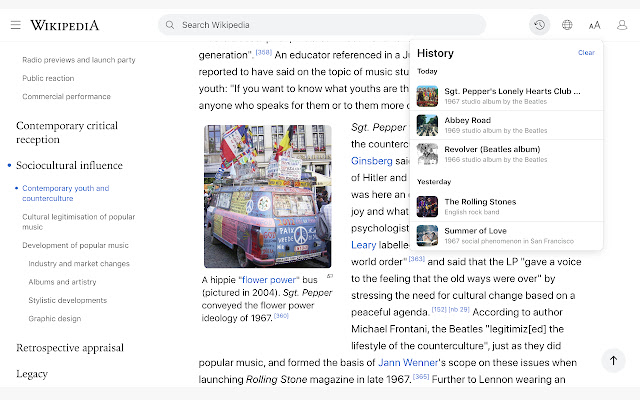
✔ History (quickly jump to articles you've previously viewed)
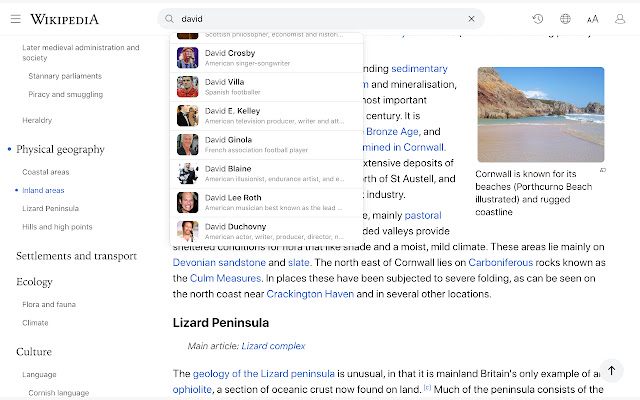
✔ Search (powerful autocomplete with preview text & images)
✔ Trending (see today's most read articles)
✔ Contents (fixed to left side for easy navigation, can be hidden)
✔ Editing (full editing controls, history, watch etc)
✔ Switch back to the old design (if needed) with one click
✔ More improvements planned for upcoming releases!
If you have any questions, need help or have any suggestions, please get in touch: [email protected]
Note: If you're logged into Wikipedia, you must use the default skin for the extension to work.
----------
Wikipedia™ is a registered trademark of the Wikimedia Foundation, Inc.
This extension is not endorsed by, affiliated with, or sponsored by Wikipedia™.
----------
Updates:
v1.25
- New wikipedia design fix
v1.24
- History bug fix
v1.23
- Fix for mobile wikipedia pages (redirect to non-mobile version)
- Fixes for image viewer
- Style fixes for Italian articles
- Scrollbar style fixes for dark themes on mac
- New icon
v1.22
- Contents sidebar settings (set font size, line height & width)
- Better support for large screens (more width settings)
- New settings
--- Auto dark theme (changes to your last used light/dark theme)
--- Fixed header (turn off to hide when scrolled down)
--- Open links in new tab
--- Hide article links
--- Justify text
--- Show bullet points on contents
- Fixed bugs with article width / centering
- Brought back red links for articles that don't exist
v1.21
- Mac scrollbars reverted to native style
- Contents scrollbar only visible on hover (windows)
v1.20
- Search box for languages menu
- Nicer scrollbar styles
- Centered article text when contents hidden (removed left padding)
- Added left padding to article text when contents visible
- Fixed french dark theme + languages menu
- Fixed user menu for non-english languages
- Fixed font size not changeable for Chinese, Japanese, and Korean
- Removed system-ui font (fix for east-asian windows fonts)
- Fixed display of math equations in dark mode
- Made search box usable at narrow widths
v1.11
- Bug fixes
v1.0
- First version
Extore is a team of professionals who are passionate about creating extensions for web browsers. This devotion also gives us opportunity to appreciate work of other people. We get inspired by useful, open source extensions made by developers all over the world. Our strong belief is that one should share helpful add-ons with others. That’s why we’d like to present you our ever-growing list of favourite extensions that have inspired us. Moreover, as you probably have already learned, sometimes struggling for the best brings an end to the good. Talking about add-ons it often turns out that an upgrade is worse then previous version. Also it can become really tricky to get back to the beloved version of your favourite extension. That’s why we’re going to make not only the latest, but all versions of our favourite (and we hope yours too) add-ons available for download. No more compromises, just stick to the version you really like!
 Preparing download link, please wait for seconds
Almost done...
Click to download
Error getting file. Please try again
Preparing download link, please wait for seconds
Almost done...
Click to download
Error getting file. Please try again







