
version 3.3.0 - Download ZIP file
version 3.2.0 - Download ZIP file
version 3.1.1 - Download ZIP file
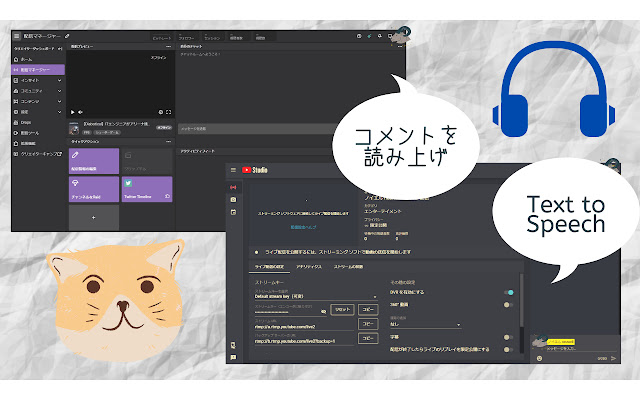
This Extension provide to read aloud comments on YouTube and Twitch for live streamer.
Do you miss to check comments from your followers While streaming?
or did you open many desktop application in order to reading aloud ?
All you have to do is installing this, If you start to read aloud.
How to use
1. Access to the Site.
YouTube: Keep open YouTube Studio Live streaming pages.
Twitch: Keep open "Stream-manager" page.
2. Someone (include you) type comments into the chat box.
3. App read aloud that text.
4. You can change setting as you like. (ex. volume, reading speed, read user name or not)
Features
- Reading aloud comments on Twitch and YouTube
- Multiple languages available. Over 16 Countries.
- Adjust speaking volume, speed, pitch etc.
- Switchable Reading user name or not
- Comment filter
- User define Nickname (β)
- Give a nickname. type "!!name your-nickname"
- if you reset nickname, type "!!rmname"
note
- If you have some troubles, reload Browser page. It will be better.
- According to the browser specifications, Reading aloud Long text might cause bugs.
Thank you for reading.
Release note:
version 3.1.0
- New logo.
version 3.0.0
- Nickname is available (refer to Option page)
version 2.10.0
- Add Username list except for Reading aloud.
- Fixed some bugs.
version 2.9.0
- Start β test for giving a nickname.
- Add Voice test button to check own setting.
version 2.8.0
- Fix the problem long text prevent from reading aloud.
- Read aloud full-sized English, digit (for Japanese user ).
version 2.7.0
- Read aloud on Twitch Pop-out.
- Add YouTube icon and developer's link on setting menu.
- Change some text and design.
version 2.6.0
- Change popup page design.
- Improve the problem that ghost read aloud same comments two times.
- Enhance Anti-spam.
version 2.5.0
- Add switch "Read aloud emoticon". Ghost become able to read Emoticon.
version 2.4.0
- Voice is selectable.
- Extension supported SAPI. You can install 3rd party voice.
- The name is changed in Japanese. New name is "コメント読み上げオバケ"
version 2.3.0
- Pitch option is available. You can change voice pitch on setting.
(Thank you for telling me this Idea)
version 2.2.0
- Reading aloud comments is only available on live streamer's management page.
- adjust default language setting.
- Fixed "Atom problem".
version 2.1.0
- Fully translated. User Interface is optimized for each language.
- Show Confirmation popup for switching extension enable/disable, when you open the page is related to read aloud.
- Change extension's name. new name is "Sasayaki Ghost". Sasayaki means whisper in Japanese.
version 2.0.0
- One of the most impressive features is that You can use reading aloud on YouTube !!
- BOT got good at speaking English (it's available in Japanese and English. You can set it up on Menu)
- Add feature of Comment filter (Read aloud comment, except symbols)
version 1.0.1
- As soon as you change setting, it reflects BOT's Reading aloud.
- When you open a page that BOT can read aloud, it shows Popup.
- Add reading aloud user' name.
Extore is a team of professionals who are passionate about creating extensions for web browsers. This devotion also gives us opportunity to appreciate work of other people. We get inspired by useful, open source extensions made by developers all over the world. Our strong belief is that one should share helpful add-ons with others. That’s why we’d like to present you our ever-growing list of favourite extensions that have inspired us. Moreover, as you probably have already learned, sometimes struggling for the best brings an end to the good. Talking about add-ons it often turns out that an upgrade is worse then previous version. Also it can become really tricky to get back to the beloved version of your favourite extension. That’s why we’re going to make not only the latest, but all versions of our favourite (and we hope yours too) add-ons available for download. No more compromises, just stick to the version you really like!
 Preparing download link, please wait for seconds
Almost done...
Click to download
Error getting file. Please try again
Preparing download link, please wait for seconds
Almost done...
Click to download
Error getting file. Please try again







