



version 9.6.7 - Download ZIP file
version 9.6.5 - Download ZIP file
version 9.6.1 - Download ZIP file
version 9.3.3 - Download ZIP file
version 9.1.5 - Download ZIP file
version 6.6.5 - Download ZIP file
version 6.6.3 - Download ZIP file
version 6.5.2 - Download ZIP file
version 6.5.0 - Download ZIP file
version 6.4.7 - Download ZIP file
version 6.4.6 - Download ZIP file
version 6.3.5 - Download ZIP file
version 6.3.2 - Download ZIP file
version 6.2.5 - Download ZIP file
version 6.1.8 - Download ZIP file
version 6.1.6 - Download ZIP file
version 6.1.4 - Download ZIP file
version 6.1.3 - Download ZIP file
version 6.1.0 - Download ZIP file
version 6.0.5 - Download ZIP file
version 6.0.3 - Download ZIP file
version 5.8.2 - Download ZIP file
version 5.7.5 - Download ZIP file
version 5.5.0 - Download ZIP file
version 5.4.5 - Download ZIP file
version 5.4.1 - Download ZIP file
version 5.3.5 - Download ZIP file
version 5.3.0 - Download ZIP file
version 5.2.9 - Download ZIP file
version 5.1.1 - Download ZIP file
version 4.9.9 - Download ZIP file
version 4.9.4 - Download ZIP file
version 4.9.1 - Download ZIP file
version 4.7.8 - Download ZIP file
version 4.7.7 - Download ZIP file
version 4.7.4 - Download ZIP file
version 4.3.3 - Download ZIP file
version 4.3.1 - Download ZIP file
version 4.2.0 - Download ZIP file
version 4.1.3 - Download ZIP file
version 4.1.0 - Download ZIP file
version 4.0.1 - Download ZIP file
version 3.5.1 - Download ZIP file
version 3.2.1 - Download ZIP file
version 1.0.9 - Download ZIP file
1. The teacher Panel supports Chrome OS, Mac, and Windows systems, and the student app supports Chromebooks.
2. It can load the teacher's Google Classroom to extract the list of students , and the screen of the online student can be viewed from the teacher's panel as thumbnail.
3. Allow the teacher to broadcast the screen to the students Chromebook, or assign a specific student's Chromebook screen and broadcast to all other students.
4. Allow the teacher to lock the screen of the selected student's Chromebook, return the screen, and push hyperlinks as fullscreen or new tab page
5. Teacher can view the Student's opened tabs page and can close inappropriate tabs directly.
6. Allow the teacher to designate up to four students screen to simultaneously broadcast to all other students.
7. Allow teachers to add whitelisted URLs or blacklist for examination mode
8. Allow teachers to broadcast text messages or important messages in full screen to students’ Chromebooks
9. Allow teachers to live streaming to students
10. Support Chinese, English and Japanese
11. Allow teachers to post questions and homework to Google classroom and help students open the classroom automatically
12. Support broadcast screen and camera recording and automatically save it on the teacher's cloud drive
13. Provide the total number of Chromebook logins, the number of real-time online users, the websites visited by the top ten students, and the tracking of the websites visited by all users
14. Drawing Pen
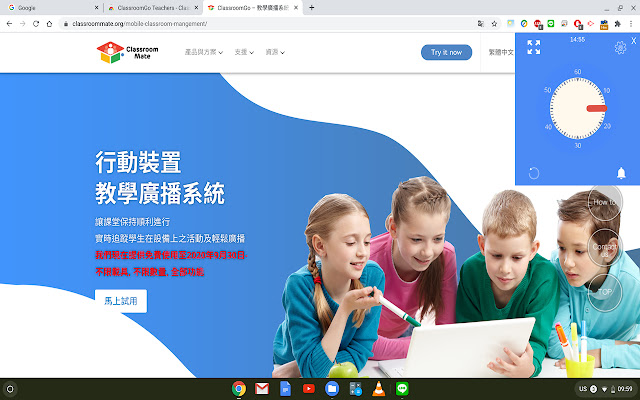
15. Timer
16. Shorten URL
17. Lucky Wheel
Extore is a team of professionals who are passionate about creating extensions for web browsers. This devotion also gives us opportunity to appreciate work of other people. We get inspired by useful, open source extensions made by developers all over the world. Our strong belief is that one should share helpful add-ons with others. That’s why we’d like to present you our ever-growing list of favourite extensions that have inspired us. Moreover, as you probably have already learned, sometimes struggling for the best brings an end to the good. Talking about add-ons it often turns out that an upgrade is worse then previous version. Also it can become really tricky to get back to the beloved version of your favourite extension. That’s why we’re going to make not only the latest, but all versions of our favourite (and we hope yours too) add-ons available for download. No more compromises, just stick to the version you really like!
 Preparing download link, please wait for seconds
Almost done...
Click to download
Error getting file. Please try again
Preparing download link, please wait for seconds
Almost done...
Click to download
Error getting file. Please try again







