
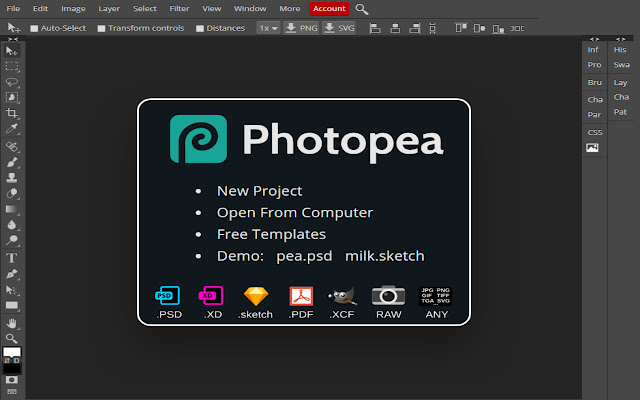


Photopea is a free Photoshop alternative that works in your browser. You don't need to spend money to get a quality photo editor. This Online Photo Editor supporting PSD, XCF, Sketch, XD, and CDR formats. (Adobe Photoshop, GIMP, Sketch App, Adobe XD, and CorelDRAW).
It's save your PC hard disk space. Because you no need to download or install any kind of software in your Windows 10/8.1/8/7/Vista/XP or Mac computer. You can use it through your web browser. Even you can use it on your smartphone.
Photopea has available the most essential tools of Adobe Photoshop. You can say its similar to Photoshop. It looks and feels like Adobe Photoshop. It's free and open source, with some ads that help support its development, but the ads aren't intrusive. You can upgrade to a premium account for $9 per 30 days to remove ads and support the developer.
Some powerful photo editors require a monthly subscription fee or a high initial investment. Photopea bucks both of these trends, and instead gives you a free option that doesn't even require you to download anything.
Features of Photopea:
1. Advanced layering
2. Support the most common files types (.PSD .XD .sketch .PDF .XCF RAW)
3. Auto Select
4. Effects and Filters
5. Batch Editing
6. Collaborative Editing
7. Enhancement Tools
8. Remove objects
9. Transform tools
10. Text Tool
11. Import-Export Option
12. Cloud Storage
13. Built-in Templates
14. Import from web
15. Revision Control
16. Social Media Integration
17. And More
Create a New Project or open existing files from your computer and edit your project according to your needs. Save your work as PSD (File >> Save as PSD) or as PNG/JPG/SVG/GIF/More (File >> Export as).
If you want to use Photopea, visit Offered by website link.
Extore is a team of professionals who are passionate about creating extensions for web browsers. This devotion also gives us opportunity to appreciate work of other people. We get inspired by useful, open source extensions made by developers all over the world. Our strong belief is that one should share helpful add-ons with others. That’s why we’d like to present you our ever-growing list of favourite extensions that have inspired us. Moreover, as you probably have already learned, sometimes struggling for the best brings an end to the good. Talking about add-ons it often turns out that an upgrade is worse then previous version. Also it can become really tricky to get back to the beloved version of your favourite extension. That’s why we’re going to make not only the latest, but all versions of our favourite (and we hope yours too) add-ons available for download. No more compromises, just stick to the version you really like!
 Preparing download link, please wait for seconds
Almost done...
Click to download
Error getting file. Please try again
Preparing download link, please wait for seconds
Almost done...
Click to download
Error getting file. Please try again







