


version 2.2.9 - Download ZIP file
version 2.2.8 - Download ZIP file
version 2.2.7 - Download ZIP file
version 2.2.6 - Download ZIP file
version 2.2.5 - Download ZIP file
version 2.2.4 - Download ZIP file
version 2.2.3 - Download ZIP file
version 2.2.1 - Download ZIP file
version 2.1.0 - Download ZIP file
version 2.0.4 - Download ZIP file
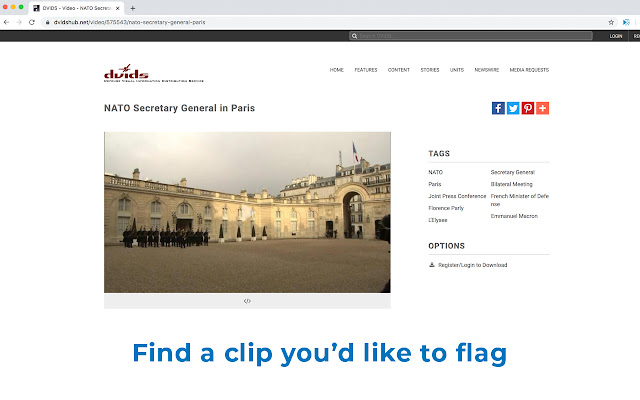
This Chrome extension copies tab-delimited metadata about video clips from a number of stock footage and video websites. This allows b-roll researchers on documentary films to quickly and easily flag and track footage that may be of interest to the production.
When you're on a website with footage that the extension is programmed to recognize, the extension icon should appear blue right next to the address bar. Click on the icon or press the keyboard shortcut alt-c (option-c on a Mac) and the proper metadata will be copied to the clipboard. You can then go to a spreadsheet program and paste the metadata into the spreadsheet.
The extension copies the following fields in order:
* Filename - typically blank, it is left to the video editor to download the footage and populate this field in a spreadsheet
* Description - in most cases, the title of the video file
* Source - the name of the website the footage came from
* License - any information about the copyright status of the clip (Creative Commons, Public Domain, etc.)
* Credit - who should the clip be credited to
* Link - link back to the video page
* Note - usually blank
* Initials - initials of the researcher who found the clip
The extension will warn you if the footage you have selected is not in high definition or if the footage does not have a Creative Commons or other similarly permissive license.
The first time you use the extension and periodically afterwards, the extension will prompt you to enter or confirm your initials.
You can manually change your initials by right clicking on the icon and choosing "Set Initials." You can also enable or disable the sounds from the right click menu. Ignore "Reset Initials" and "Reset Last Update Time." These are for debugging purposes.
This extension is open source under an MIT license and the source code is available at: https://github.com/dheidelberger/broll-credit-copier/
On GitHub, you can also find a list of supported sites as well as version and bug fix history. If you encounter bugs or would like the tool to support additional sites, you can file support tickets on GitHub's issue page as well.
A blanket privacy policy for all my extensions is available at the link to the right. A privacy policy specific to this extension will be presented to you the first time you use it (and after any future updates). You may also view a copy of that policy here: https://github.com/dheidelberger/broll-credit-copier/blob/master/PRIVACY.md
Extore is a team of professionals who are passionate about creating extensions for web browsers. This devotion also gives us opportunity to appreciate work of other people. We get inspired by useful, open source extensions made by developers all over the world. Our strong belief is that one should share helpful add-ons with others. That’s why we’d like to present you our ever-growing list of favourite extensions that have inspired us. Moreover, as you probably have already learned, sometimes struggling for the best brings an end to the good. Talking about add-ons it often turns out that an upgrade is worse then previous version. Also it can become really tricky to get back to the beloved version of your favourite extension. That’s why we’re going to make not only the latest, but all versions of our favourite (and we hope yours too) add-ons available for download. No more compromises, just stick to the version you really like!
 Preparing download link, please wait for seconds
Almost done...
Click to download
Error getting file. Please try again
Preparing download link, please wait for seconds
Almost done...
Click to download
Error getting file. Please try again







