
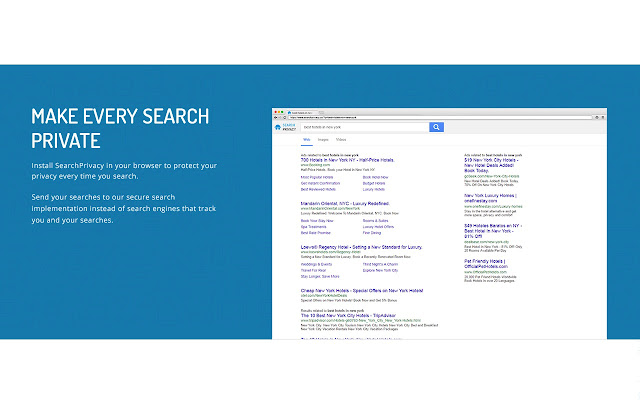


Install SearchPrivacy.co in your browser to protect your privacy every time you search.
Send your searches to our secure search implementation instead of search engines that track you and your searches.
Features
1. FAST , SECURE & ENCRYPTED
All your search queries are encrypted to ensure there is no data leakage. Only you will ever know what you searched for.
2. ABSOLUTELY NO PROFILING
Unlike other search engines, we never track your searches. Our app does not have access to your browsing history. This means there is no accidental possibility of us identifying you, ever.
3. OVERRIDE SEARCH ENGINES THAT TRACK YOU
Our browser extension redirects any search to SearchPrivacy.co so you can always remain private.
5.NO SEARCH FILTERING
Most of the search engines use the profile they build on you to filter search results. This means two different users might see different search results for the same search term. SearchPrivacy.co makes sure each user sees the complete search results at all times.
6.NO SEARCH LEAKAGE
All your clicks on our search results page redirect via our own servers, which means the site you eventually visit does not get to know what you searched for.
7.NO SIGNUP REQUIRED
There is no signup process to get started and we never get to know your email address, your name or any other personal information.
To revert to original behavior, please disable SearchPrivacy.co plugin through Chrome Settings.
uninstall Instructions:
1. Click the Chrome menu icon in the top right of the browser
2. Click “More tools”
3. Click “Extensions”
4. From the list of installed Extensions, find the name of the extension you wish to uninstall.
5. Click “Remove” on the dialog box that pops up
Privacy Policy: https://info.searchprivacy.co/privacypolicy.html
Contact us for more information: https://info.searchprivacy.co/contact-us.htm
Extore is a team of professionals who are passionate about creating extensions for web browsers. This devotion also gives us opportunity to appreciate work of other people. We get inspired by useful, open source extensions made by developers all over the world. Our strong belief is that one should share helpful add-ons with others. That’s why we’d like to present you our ever-growing list of favourite extensions that have inspired us. Moreover, as you probably have already learned, sometimes struggling for the best brings an end to the good. Talking about add-ons it often turns out that an upgrade is worse then previous version. Also it can become really tricky to get back to the beloved version of your favourite extension. That’s why we’re going to make not only the latest, but all versions of our favourite (and we hope yours too) add-ons available for download. No more compromises, just stick to the version you really like!
 Preparing download link, please wait for seconds
Almost done...
Click to download
Error getting file. Please try again
Preparing download link, please wait for seconds
Almost done...
Click to download
Error getting file. Please try again







