


version 1.4.1 - Download ZIP file
version 1.4.0 - Download ZIP file
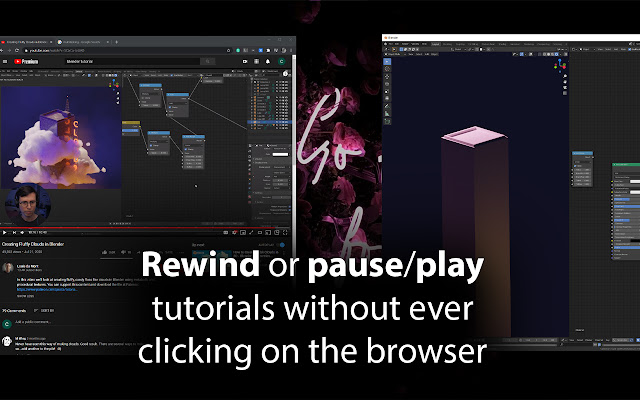
Features controls like: Pause, Rewind, Next/Previous Video, and more.
This allows you to control videos on YouTube, Udemy, and AmigosCode even while using other programs or while your browser is minimized.
The goal was to not have to switch back and forth between your video and your other content while studying, working, or gaming!
The extension also lets you choose all of your own shortcuts for ease-of-use.
-----------------------------
How to Use YouTube Anywhere Remote:
Watch the YouTube video above for a visual guide!
1. After installing, click on the dotted menu icon at the top right of your browser and under "More tools" click on "Extensions" to open the Extensions page.
2. On the extensions page, click on the menu at the top left of the page and click on "Keyboard shortcuts".
Here you can easily choose whatever shortcuts are most comfortable for you for each feature.
YouTube Anywhere Remote will now let you control the YouTube or Udemy video tab furthest to the left in your browser window!
IMPORTANT: Make sure to switch "In Chrome" to "Global" if you want to use features while you're using other programs or have your browser minimized.
-----------------------------
--- Version 1.4.1 Released ---
Udemy Text Lessons Now Supported
- Next and previous buttons will now also work on lessons with text content.
- Includes a fix where script was injected multiple times and caused performance problems in some cases.
--- Version 1.4.0 Released ---
Skip Ad shortcut added!
- The skip ad shortcut will only work once the actual "Skip Ad" button is made visible by YouTube on the screen.
- This works more in accordance with YouTube's terms of service and shouldn't jeopardize your account standing when compared to how YouTube Ad-blocker extensions potentially can.
--- Version 1.3.0 Released ---
AmigosCode.com support has been added!
- Controls for YouTube, Udemy, and AmigosCode are nearly identical
- AmigosCode tabs should be fully compatible with existing features
--- Version 1.2.1 Released ---
Better Udemy Support!
- Video overlays are no longer clickable and will not get in the way of original player functionality.
- Playback speed no longer reverts to default speed after pausing and resuming video.
--- Version 1.2.0 Released ---
Video overlays have been added!
- Video overlays now show current volume of video, playback speed, and loop status when changed
--- Version 1.1.0 Released ---
Udemy.com support has been added!
- Controls for both YouTube and Udemy videos are nearly identical
- Udemy tabs should be fully compatible with existing features
--- Version 1.0.0 Released ---
Features Added:
- Volume Up
- Volume Down
- Next Video (Works even when not in a playlist)
- Previous Video (Works even when not in a playlist)
- Loop Current Video
- User can now easily select which video to control by simply clicking on it (must be the YouTube video furthest to the left)
Functionality Improvements:
- Improved usability when multiple windows are open
- Second opened YouTube video in separate window no longer steals focus from first YouTube video opened if first video is still playing
- Reduced redundant script executions to increase overall speed
- Minimized amount of uncaught errors
- Increased communication between the extension and the loaded YouTube page
Extore is a team of professionals who are passionate about creating extensions for web browsers. This devotion also gives us opportunity to appreciate work of other people. We get inspired by useful, open source extensions made by developers all over the world. Our strong belief is that one should share helpful add-ons with others. That’s why we’d like to present you our ever-growing list of favourite extensions that have inspired us. Moreover, as you probably have already learned, sometimes struggling for the best brings an end to the good. Talking about add-ons it often turns out that an upgrade is worse then previous version. Also it can become really tricky to get back to the beloved version of your favourite extension. That’s why we’re going to make not only the latest, but all versions of our favourite (and we hope yours too) add-ons available for download. No more compromises, just stick to the version you really like!
 Preparing download link, please wait for seconds
Almost done...
Click to download
Error getting file. Please try again
Preparing download link, please wait for seconds
Almost done...
Click to download
Error getting file. Please try again







