


Code available at: https://github.com/daattali/smileyfy-my-facebook-extension/
Description
=========
This is a Chrome extension that adds infinite happiness to your Facebook browsing, plus a little bonus rickrolling :)
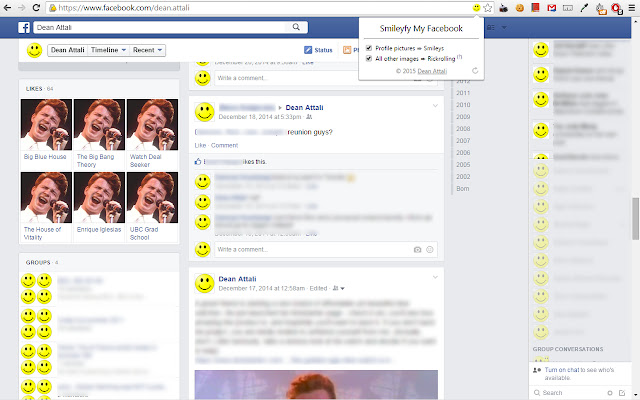
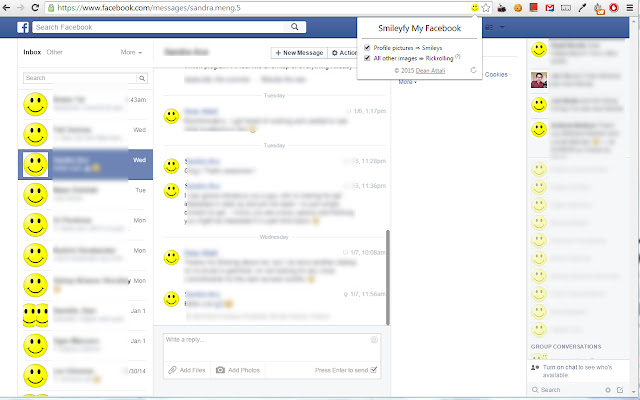
Smileyfy My Facebook will convert all profile pictures on Facebook to smileys, which makes for a very fun Facebooking experience. All other images that are not profile pictures will be converted to a picture of Rick Astley (Rickrolling for those who missed out on a full year of internet).
If you're in need of some more smiles in your life, or you constantly find yourself thinking "gee, I really don't get my daily dose of Rick Astley", then this extension is for you!
Features
=========
- Smileyfy My Facebook is non-intrusive and will only show up when browing Facebook.
- Smileyfy My Facebook will not take up any resources or show up in Chrome's Task Manager when you don't have a Facebook tab open.
- The conversion of profile pictures to smileys and of other pictures to Rick Astley are both configurable options that can be turned on/off independently of each other.
- The options can be acceessed either by clicking on the extension icon or through the Options page under chrome://extensions.
- The options are saved and remembered indefinitely, so if you ever get sick of smileys you can simply disable them temporarily instead of uninstalling the extension.
- The extension works on any page in Facebook (home/messages/profile/etc).
- The extension is AJAX-aware, and will convert new images that get rendered as you scroll down.
- There are a few different Rick images, each with a different aspect ratio, so that each Facebook image can be replaced with an image with a similar aspect ratio. This is to prevent over-stretching of images which looks really bad.
- A "refresh" button in the extension will let you see how the page looks with and without smileyfication with ease.
Disclaimer
=========
I would not advise using my code as a template or resource for learning how to write Chrome extensions. I learned how to write the extension and fully built it fairly quickly, so I'm not sure what the best practices are and how to properly organize the code. It was just an excuse to test out how Chrome extensions work. I also left a little bit of ugly code in there -- please dont judge :)
Extore is a team of professionals who are passionate about creating extensions for web browsers. This devotion also gives us opportunity to appreciate work of other people. We get inspired by useful, open source extensions made by developers all over the world. Our strong belief is that one should share helpful add-ons with others. That’s why we’d like to present you our ever-growing list of favourite extensions that have inspired us. Moreover, as you probably have already learned, sometimes struggling for the best brings an end to the good. Talking about add-ons it often turns out that an upgrade is worse then previous version. Also it can become really tricky to get back to the beloved version of your favourite extension. That’s why we’re going to make not only the latest, but all versions of our favourite (and we hope yours too) add-ons available for download. No more compromises, just stick to the version you really like!
 Preparing download link, please wait for seconds
Almost done...
Click to download
Error getting file. Please try again
Preparing download link, please wait for seconds
Almost done...
Click to download
Error getting file. Please try again







