
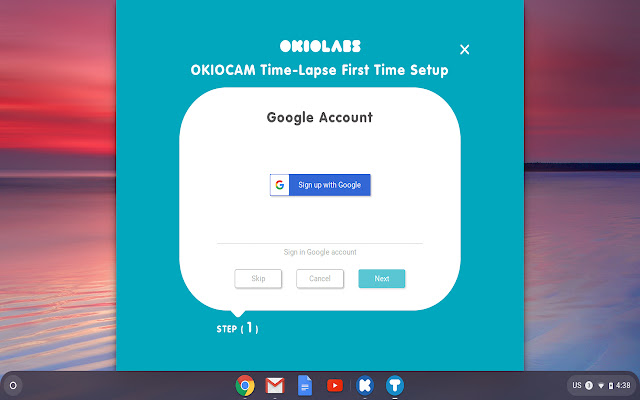


Create superb time-lapse videos with OKIOCAM Time-Lapse! Access your videos from anywhere and on any device and easily use them with other Google cloud services such as Google Classroom, Docs, Slides, Sheets, and Forms.
What are time-lapse videos used for? The practical uses for time-lapse videos in education are endless. Students and teachers record themselves solving problems, and using time-lapse technology, the videos are dramatically reduced in length and size, making them quicker to watch and easier to share. For a teacher, this means it becomes much easier to check your students’ understanding of their work.
★ Effortless time-lapse videos
Record using your webcam and make outstanding time-lapse videos. Adjust the playback speed, add your own music (or choose from our selection of royalty-free songs!), trim and perfect your videos before they are automatically uploaded to Google Drive.
★ Google Drive and Google Classroom integration
All time-lapse videos are automatically saved to your Google Drive account, guaranteeing that they are secure and that you save a lot of time by not having to transfer and back up everything manually. Upload your videos directly to Google Classroom and use them as supporting documents for an Answer, an Assignment, or a Question.
★ Camera controls
Take advantage of the in-built camera controls. The Zoom (up to 6x) slider can help you zoom in to get the perfect shot. The Rotate control can rotate the camera display clockwise and counterclockwise in increments of 90°. Selfie Mode can reverse the camera feed to ensure that you aren’t viewing things backward.
If you own an OKIOCAM, you can also take advantage of these impressive features:
★ Additional camera controls
The Exposure slider lets you adjust your camera’s exposure settings on the fly. The One Button Auto Adjust feature will automatically correct your camera’s focus, exposure, and white balance settings to ensure that you get the very best shot.
About OKIOCAM:
With an adjustable arm, ultra-thin foldable base, and a 360-degree rotating camera supporting super high definition resolutions, OKIOCAM makes it easy for teachers and students to take photos or videos of all their non-digital work. Whether it’s math homework, drawings, arts and crafts, STEM/STEAM projects, or 3D objects, OKIOCAM enables you to transport the physical classroom into the digital realm. Use OKIOCAM with our ever-growing exciting library of apps and extensions including Snapshot and Recorder, Stop Motion, and Time-Lapse for the complete experience.
Comments? Questions? Suggestions? Contact us at:
https://support.okiolabs.com
Extore is a team of professionals who are passionate about creating extensions for web browsers. This devotion also gives us opportunity to appreciate work of other people. We get inspired by useful, open source extensions made by developers all over the world. Our strong belief is that one should share helpful add-ons with others. That’s why we’d like to present you our ever-growing list of favourite extensions that have inspired us. Moreover, as you probably have already learned, sometimes struggling for the best brings an end to the good. Talking about add-ons it often turns out that an upgrade is worse then previous version. Also it can become really tricky to get back to the beloved version of your favourite extension. That’s why we’re going to make not only the latest, but all versions of our favourite (and we hope yours too) add-ons available for download. No more compromises, just stick to the version you really like!
 Preparing download link, please wait for seconds
Almost done...
Click to download
Error getting file. Please try again
Preparing download link, please wait for seconds
Almost done...
Click to download
Error getting file. Please try again







