

PDF Viewer for Chrome is a free and very useful tool that allows you to view and edit any PDF files directly in your browser.
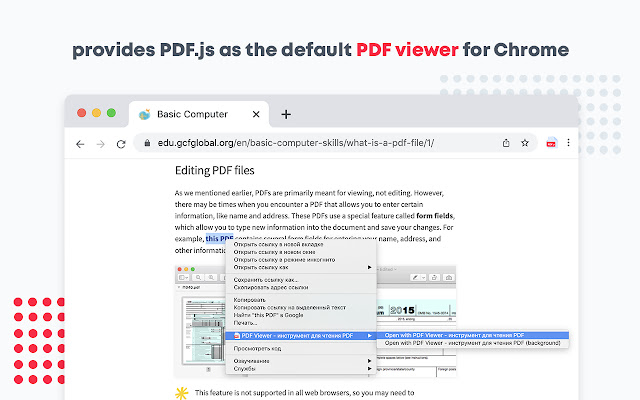
To see the PDF file with this PDF Viewer simply hit the icon installed in the browser's toolbar or just click the Chrome's context menu and select "Open with PDF Viewer".
PDF Reader is the industry-leading PDF solution. Use Acrobat PDF tools right in Google Chrome to get the best PDF viewing experience and get more done while browsing. You can add comments to PDFs, including sticky notes, text, and highlights—all for free.
Here are the reasons to choose PDF Reader:
- Custom styling of the PDF viewer.
- Page navigation with "page" hash.
- Opening PDF files by dropping them into the view.
- Displaying PDF signed and unsigned signatures.
What’s NEW:
• Dark and light mode.
• Read your document aloud
• View PDFs offline
PDF.js is a JavaScript library that renders Portable Document Format (PDF) files using the web standards-compliant HTML5 Canvas. Its implementation uses the Canvas element from HTML5, which allows for fast rendering speeds. PDF.js is community-driven and supported by Mozilla Labs.
How to use the PDF Converter Tool?
1. Install the PDF Acrobat extension for Chrome.
2. Pin the extension for quick access.
3. Open any PDF in your browser.
4. Select an Acrobat tool.
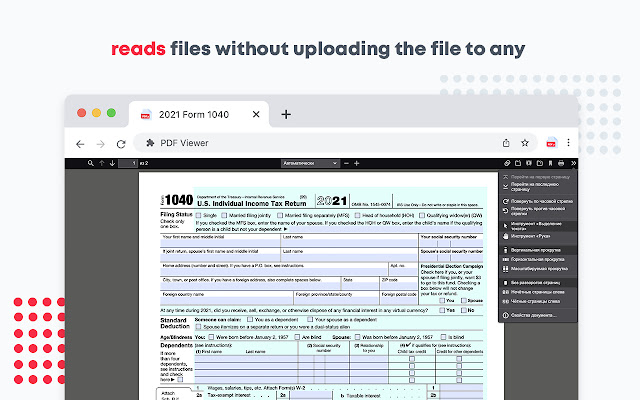
Our extension PDF Viewer provides PDF.js as the default PDF viewer in Chrome. This PDF Reader supports rendering remote and local PDF files on top frames.
Options PDF Viewer :
✔️ Disable Page Labels
✔️ Enable Permissions
✔️ Enable Print Auto-Rotate
✔️ Enable WebGL
✔️ History Update URL
✔️ Disable Auto Fetch
✔️ Disable Font Face
✔️ Disable Range
✔️ Disable Stream
✔️ Ignore Destination Zoom
✔️ PDF Bug Enabled
✔️ Render Interactive Forms (AcroForm/XFA)
✔️ Use Only CSS Zoom
To operate with this extension, please right-click on any link (a link to a PDF document) and then click on - Open and Download with PDF Viewer - item from the context menu. The PDF files will first be "downloaded" and then "opened" in a default PDF viewer (the one which is set on the options page). Please note that the PDF file will be downloaded in the "default" download folder on your machine.
You can now run the external executable. This helps application to validate the PDF file before this extension opens it with the external PDF viewer.
Leave feedback and ask questions about our product PDF Viewer! We are developing new features and always listen to feedback.
Extore is a team of professionals who are passionate about creating extensions for web browsers. This devotion also gives us opportunity to appreciate work of other people. We get inspired by useful, open source extensions made by developers all over the world. Our strong belief is that one should share helpful add-ons with others. That’s why we’d like to present you our ever-growing list of favourite extensions that have inspired us. Moreover, as you probably have already learned, sometimes struggling for the best brings an end to the good. Talking about add-ons it often turns out that an upgrade is worse then previous version. Also it can become really tricky to get back to the beloved version of your favourite extension. That’s why we’re going to make not only the latest, but all versions of our favourite (and we hope yours too) add-ons available for download. No more compromises, just stick to the version you really like!
 Preparing download link, please wait for seconds
Almost done...
Click to download
Error getting file. Please try again
Preparing download link, please wait for seconds
Almost done...
Click to download
Error getting file. Please try again







