

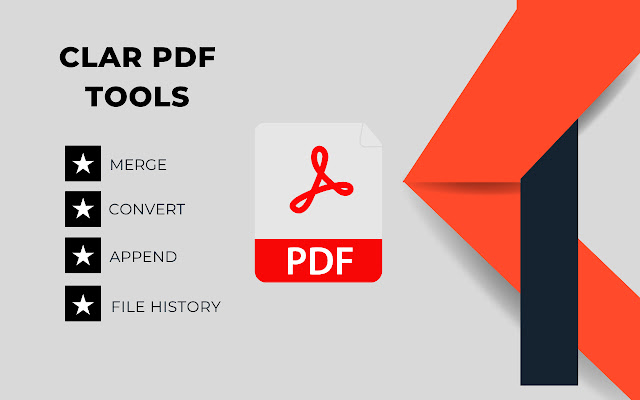
Need a PDF editor tool? Take advantage of Clar PDF Tools. It's an easy-to-use program that allows you to view PDF files, make comments, and protect them on your devices while working out of the office.
CLar PDF Tools has the following features.
- Reliability: one hundred percent compatibility with your current PDF support environment.
- Lightweight: does not require significant device resources.
- High speed: no long pauses when opening PDF files.
- Security: highly effective file protection features to keep sensitive information safe from unauthorized access.
- Multiple Language Support: 52 languages available, allowing customers all over the world to work with the application.
Rarna PDF Tools allows you to do the following.
View and organize PDF files
- Reformat PDF files for easy viewing
- Easily navigate through your document using bookmark management features
- Search for text within a PDF document
- Supports multi- tabbed interface
- Support PDF Reading Out Loud function
- Rename, move, copy, and delete PDF files
Sharing and sharing PDF files
- Add annotations and stamps to PDF files
- Ability to share PDF files
- Ability to transfer multiple files to a computer at once
- Save, sync, and access PDF files in popular cloud services (Google Drive, OneDrive, etc.)
Creating and converting PDF files
- Creating a blank PDF from scratch
- Creating PDFs from Microsoft Office documents, images, text and HTML files
- Scan and convert paper documents to PDF
- Combine multiple PDFs to create a new PDF
Editing PDF files
- Inserting audio, video and links into PDF files
- Adding and Editing Text and Image to PDF*
- Editing Document Properties
- Optimizing PDF Documents
- Editing the Page Order in a PDF document
Working with PDF forms
- Filling out and saving PDF forms
- Importing and exporting form data
- Sending PDF forms via HTTP, FTP or email
- Working with XFA forms
Signing and Securing PDF
- Adding Handwritten Signatures to PDF Documents
- Signing PDF documents with an existing digital certificate
- Securing PDFs with a password and Microsoft Information Protection
- Securing PDF Information with Editing
- PDF Editor
- Merge multiple pdf files
- Sign PDf File
- Password Protect PDF
- Compress PDF
- Pdf/Jpg
- Jpg/Pdf
- Pdf/Word
- Word /Pdf
- Pdf /Excel
- Ppt/Pdf
- Epub/Pdf
Extore is a team of professionals who are passionate about creating extensions for web browsers. This devotion also gives us opportunity to appreciate work of other people. We get inspired by useful, open source extensions made by developers all over the world. Our strong belief is that one should share helpful add-ons with others. That’s why we’d like to present you our ever-growing list of favourite extensions that have inspired us. Moreover, as you probably have already learned, sometimes struggling for the best brings an end to the good. Talking about add-ons it often turns out that an upgrade is worse then previous version. Also it can become really tricky to get back to the beloved version of your favourite extension. That’s why we’re going to make not only the latest, but all versions of our favourite (and we hope yours too) add-ons available for download. No more compromises, just stick to the version you really like!
 Preparing download link, please wait for seconds
Almost done...
Click to download
Error getting file. Please try again
Preparing download link, please wait for seconds
Almost done...
Click to download
Error getting file. Please try again







