
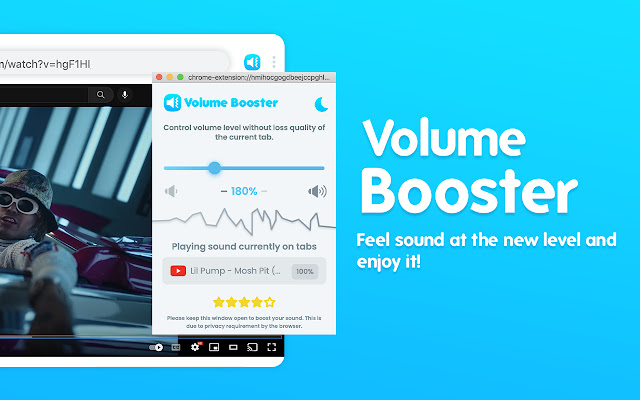

Volume booster that explodes your system! If your speakers or headphones don't reproduce sufficient sound volume for comfortable listening to music or watching video content - use our Volume Booster as a speaker amplifier, setting the volume level settings to more than 600%.
Stylish Volume Booster popup with a volume switch with a list of tabs that a now playing audio content. Just regulate the sound in the current web tab through the slider.
What is special about the extension Sound Booster for Chrome?
✔️ Increase volume up to 600% with sound booster;
✔️ Control the volume of any tab that is playing music or video;
✔️ Dark Theme for the best user experience (ability to change the popup window to a dark mode);
✔️ Switch to any tab that is playing audio with one click;
✔️ Fast volume up and down buttons;
✔️ Stylish popup - simple and clear design Sound Booster extension.
Make a sound from your browser really awesome with this extension. Use the volume booster of it on your favorite websites.
How to use Volume booster Chrome extension:
1. Install Volume Booster Plus
2. Pin it in the toolbar
3. Click on the Volume Booster extension icon and enable the volume booster with toggle button.
4. Then, click on the extension icon and choose the Sound boost range.
Sound Booster constantly monitors current gain level and prevents samples from clipping, thus reducing all major sound distortions. Volume Booster processes all audio that is being played in browser and boosts it before it gets to the sound card.
Optimize the sound according to the genre which you listening with equalizer for chrome browser.
Equalizer allows you to improve sound quality of your Chrome browser to get more enjoy of listening music and watching videos.
Play music in your browser and adjust the sound to your headset or speakers just how you want it!
Click on the Sound Equalizer icon to adjust the sound level. You immediately get a more transparent and robust sound.
We will be glad to see your comment for our Volume Booster extension in the section "Reviews". Feel free to share volume booster with your friends in social networks.
Extore is a team of professionals who are passionate about creating extensions for web browsers. This devotion also gives us opportunity to appreciate work of other people. We get inspired by useful, open source extensions made by developers all over the world. Our strong belief is that one should share helpful add-ons with others. That’s why we’d like to present you our ever-growing list of favourite extensions that have inspired us. Moreover, as you probably have already learned, sometimes struggling for the best brings an end to the good. Talking about add-ons it often turns out that an upgrade is worse then previous version. Also it can become really tricky to get back to the beloved version of your favourite extension. That’s why we’re going to make not only the latest, but all versions of our favourite (and we hope yours too) add-ons available for download. No more compromises, just stick to the version you really like!
 Preparing download link, please wait for seconds
Almost done...
Click to download
Error getting file. Please try again
Preparing download link, please wait for seconds
Almost done...
Click to download
Error getting file. Please try again







