
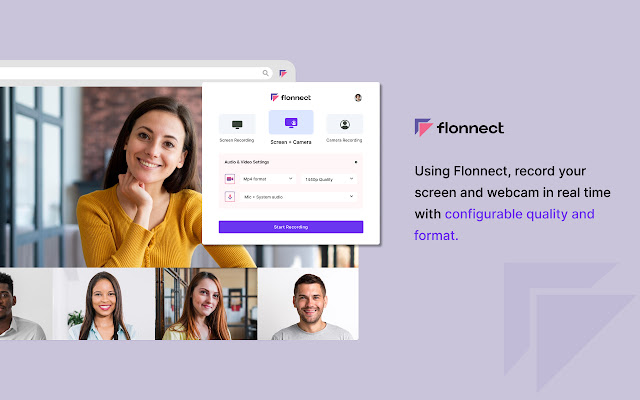


Record your screen or camera along with your audio. This extension supports all types of screen recordings for free with unlimited usage.
✅Free to Use
✅No Watermark
✅No Lag screen recording
✅Unlimited Usage
✅Includes audio recording with Webcam
✅Easy to share the video link with teammate
Note: Please update your browser to the latest version and grant the permissions to record your screen and audio.
Install the Screen recorder chrome extension to capture screen video. It offers multi features such as
>>Simple Screen Recorder
>>Reaction camera or webcam recorder
>>Screen & Webcam recorder (With Picture in Picture Display)
Here is how to use Screen Recorder Extension:
>> Click on the Extension icon
>> Then select one of the 3 options of screen recording
>> You can choose to record audio or disable it
>> Grant the permission to record your screen and mic options
>> Tap on the record button and it will start the recording
>> Later download the file or view the recording it in the active tab
Supported Screen Recorder types:
✅Entire Full Screen of Desktop
✅ Single Tab
✅ Active browser
Special gradtitude to roOt_d3viL for contineous testing the product.
Version 5.1.1:
>> Added multi part upload (10X video upload speed compared to verison 4.1.3)
>> UI improvement
>> Thumbnail now auto generated (as the first frame of video) - This significantly improve the library page view.
version 4.1.3:
>> Screen recorder Video download unavailable during upload fixed
version 4.1.2:
>> Shareable link generation without video being uploaded fixed.
Version 4.1.1:
>> System audio recording with screen record bug fixed
Version 4.1.0:
>> Bug fixing in screen recorder + mic settings
>> Multiple video upload bug fixed.
Version 4.0.0:
>> Rebranded as flonnect
>> trimming feature added
>> Transcript feature added
>> Thumbnail updation
Version 3.1.1
>> Added quality control options (480p/720p/1080p) - suggested by : roOt_d3viL
>> No need to download the screen recorded video now, simply login, generate link and access the files later through screenrecordtool dashboard. Please note that the link will come to dashboard only when user generates the link.
Version 3.0.2
>> quality improvement for chrome tab capturing
version 3.0.1
>> Now users can download in desired format (Mp4/webm)
>> Open the video in mozilla firefox to make it seek-able.
version 3.0.0
>> Link generation for the recoreded video added. Now you can record and share video with ease.
Version 2.0.3
>> Option to add chrome tab audio capture added
Version 2.0.1
>> UI/UX improvement
Version 1.0.2
>>Improved UX for smooth screen recording
>>Highlighted the recorded video when you stop sharing the screen
Version 0.0.2
>> Bug Fixes
>> Added 10 new languages
>> Improved webcam recording
Version 0.0.1
>> Allows recording from either screen or webcam or both
>> No Watermark and no limit of the screen recording
>> Download captured video instantly in .mp4 format
Extore is a team of professionals who are passionate about creating extensions for web browsers. This devotion also gives us opportunity to appreciate work of other people. We get inspired by useful, open source extensions made by developers all over the world. Our strong belief is that one should share helpful add-ons with others. That’s why we’d like to present you our ever-growing list of favourite extensions that have inspired us. Moreover, as you probably have already learned, sometimes struggling for the best brings an end to the good. Talking about add-ons it often turns out that an upgrade is worse then previous version. Also it can become really tricky to get back to the beloved version of your favourite extension. That’s why we’re going to make not only the latest, but all versions of our favourite (and we hope yours too) add-ons available for download. No more compromises, just stick to the version you really like!
 Preparing download link, please wait for seconds
Almost done...
Click to download
Error getting file. Please try again
Preparing download link, please wait for seconds
Almost done...
Click to download
Error getting file. Please try again







