
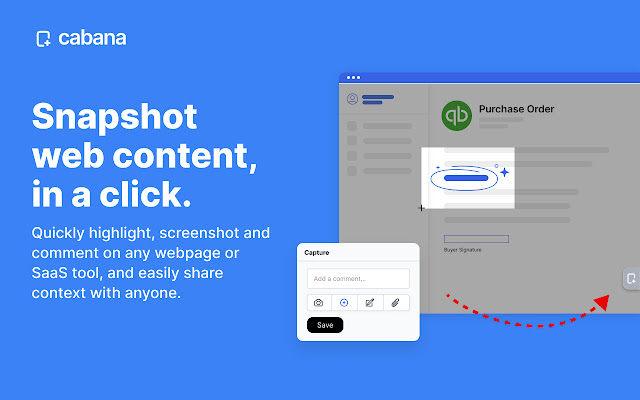


Teams use Cabana to quickly screenshot, comment and share from any webpage, in a click.
---- How does it work? ----
1. Quickly create a thread from any web page, blog, video, or software by taking screenshots, saving links and making annotations
2. Each thread you create gets a unique link that you can share with your clients or team via email, Slack, wiki or through your CRM, who can view the content you create online
3. Organize your content in your Cabana web dashboard, where you can track engagement stats and manage everything in one place
---- All Features ----
???? Screen capture content on any website
As you navigate the web, simply click the Cabana icon to create a snapshot of any webpage you want to collaborate on. Quickly draw, annotate or comment on any webpage or SaaS tool, so you can easily share context with anyone.
????️ Highlight and save text
You can highlight important text, numbers or paragraphs on any webpage, and they'll be automatically visible to other people in your workspace.
???????????? Collaborate with your team without leaving the page
See something you need an extra set of eyes on right now? Simply type @ to quickly mention any of your teammates in your workspace, right from the browser extension, or type an email address of someone outside your workspace.
???? Sharable links
Each discussion you create gets a unique link that you can share. You can share this page via Email, Slack, or Teams, or add comments directly to it.
???? Discussions are organized and searchable
Discussions you create are automatically categorized so you and your team can follow, search, and get notified of changes. Also, you can add customized topics and define structured information about any page.
???? Create shared notes for any webpage.
Cabana lets you and your team write comments on any webpage or SaaS tool (anything you can view online!), and the comments will be visible to anyone else in your workspace who visits that webpage.
???? Share instant "access" to any SaaS tool
Give anyone in your team context in a click without having to pay for another per-seat license on every tool you want them to access or see.
???? Security features and control
Create security rules about what type of pages and information can be accessed, which require sign-in, and more.
About Cabana
Our mission is to help 1 million teams remove every barrier to collaboration with each other. We are a startup based in Los Angeles, and our team is hard at work building new features and functionality to maximize your experience with Cabana. Any ideas or suggestions for new product features? We’d love your feedback! Send our team a note at [email protected]
Extore is a team of professionals who are passionate about creating extensions for web browsers. This devotion also gives us opportunity to appreciate work of other people. We get inspired by useful, open source extensions made by developers all over the world. Our strong belief is that one should share helpful add-ons with others. That’s why we’d like to present you our ever-growing list of favourite extensions that have inspired us. Moreover, as you probably have already learned, sometimes struggling for the best brings an end to the good. Talking about add-ons it often turns out that an upgrade is worse then previous version. Also it can become really tricky to get back to the beloved version of your favourite extension. That’s why we’re going to make not only the latest, but all versions of our favourite (and we hope yours too) add-ons available for download. No more compromises, just stick to the version you really like!
 Preparing download link, please wait for seconds
Almost done...
Click to download
Error getting file. Please try again
Preparing download link, please wait for seconds
Almost done...
Click to download
Error getting file. Please try again







