
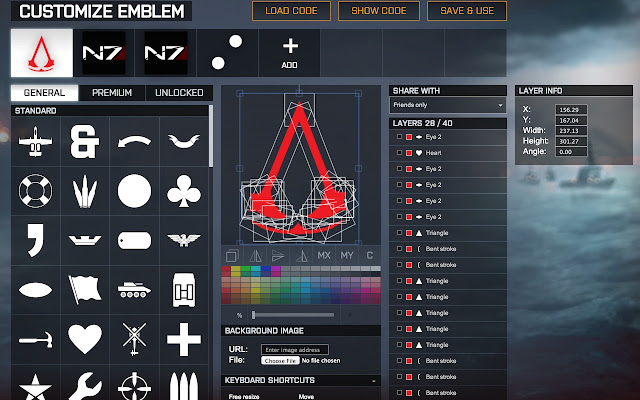

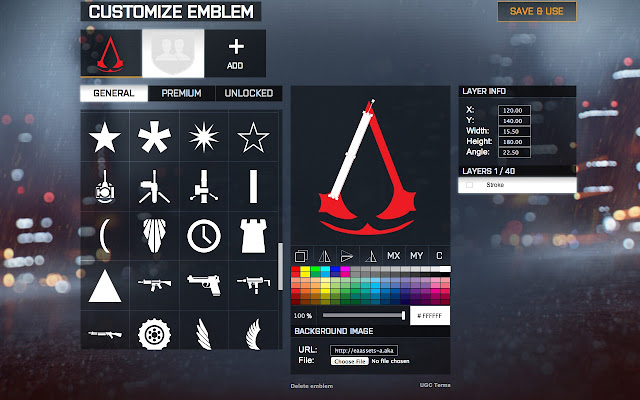

Little plugin for extending BF4 Battlelog Emblem Editor functionality.
Ease your emblem creation!
You can now use background image as a stencil for drawing your emblem, you can select multiple layers and transform them as a single layer, allowing you to move/rotate/scale complex emblems and their subparts.
Usage:
Select objects either with a selection frame, by shift-clicking on a layer in editor, by clicking on checkboxes near layer names or by using following hotkeys: CTRL+A - select all, CTRL+D - deselect all, CTRL+I - inverse selection.
You can transform individual layers or groups either with your mouse, directly by inputting values into "layer info" box or with following hotkeys:
(holding down SHIFT will increase effect)
arrow keys - move selection
q, e - rotate selection clockwise or counter-clockwise respectively
z, x - scale selection down or up
Available functions:
1. Grouping and multiple selection
2. Setting background for editor canvas
3. Mirroring around x/y axes
4. Centering of layer
5. Entering layer parameters from keyboard
6. Import/Export of emblem code. Use awesome site emblemsbf.com for sharing emblems with community and your friends!
Version 0.4.5.6:
Fix "lock" icon overlapping with the selection checkbox
Support injection into https url
Version 0.4.5.6:
CTE support is here!
Version 0.4.5.5:
Fixed bug which caused incorrect emblem code to be shown after clicking on "SHOW CODE" while having selected multiple layers.
Version 0.4.5.4:
Extension now works in Battlefield Hardline emblem editor.
Version 0.4.5.3:
Selection hotkeys (featuring CTRL key) fixed on Windows.
Fixed load/save buttons positioning for platoon emblem page.
Version 0.4.5.2:
Emblem loading code fixed.
Version 0.4.5.1:
Editor hotkeys no longer interfere with other functionality of Battlelog.
Version 0.4.5:
Full integration of grouping and multiple selection.
Version 0.4.3:
You can now select multiple layers with mouse selection frame, resulting group acts like a single layer and can be transformed with hotkeys, added in version 0.4.0 or directly via layer-info window.
Version 0.4.2:
Fixed minor bug which caused multiple reaction to hotkeys after you switch between different emblems without reloading browser page.
Version 0.4.1:
Layer info moved (finally) to the right of layer list.
Please report problem with detailed descriptions, I'll fix them ASAP.
Version 0.4.0:
You can now select several layers and transform them:
1. Rotate group around geometric center
2. Translate (move) group
3. Scale group
Each layer now contains a checkbox indicating whether it is selected or not, you can also select or deselect all layers with CTRL+A and CTRL+D hotkeys respectively.
Version 0.3.4:
Fixed corner size adjustment behaviour which caused slowdown.
Version 0.3.3:
Import/export of emblems, few changes to interface.
Version 0.3 features:
Select background either from a local file or by specifying URL.
Proper behaviour on page reload.
Extore is a team of professionals who are passionate about creating extensions for web browsers. This devotion also gives us opportunity to appreciate work of other people. We get inspired by useful, open source extensions made by developers all over the world. Our strong belief is that one should share helpful add-ons with others. That’s why we’d like to present you our ever-growing list of favourite extensions that have inspired us. Moreover, as you probably have already learned, sometimes struggling for the best brings an end to the good. Talking about add-ons it often turns out that an upgrade is worse then previous version. Also it can become really tricky to get back to the beloved version of your favourite extension. That’s why we’re going to make not only the latest, but all versions of our favourite (and we hope yours too) add-ons available for download. No more compromises, just stick to the version you really like!
 Preparing download link, please wait for seconds
Almost done...
Click to download
Error getting file. Please try again
Preparing download link, please wait for seconds
Almost done...
Click to download
Error getting file. Please try again







