

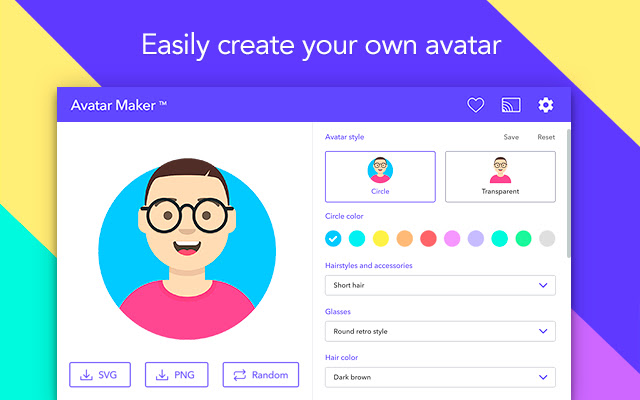


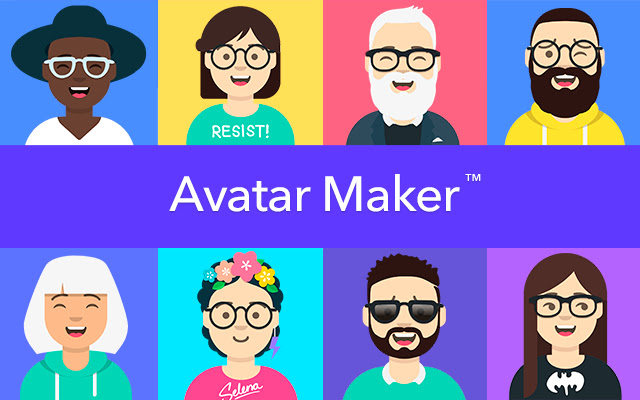


With Avatar Maker for Google Chrome you can create a character of yourself in a simple and easy way, choose among the different customization options available, choose color, change hairstyles, hats, glasses, mouth, eyes, clothes and more.
What is an avatar?
It is a graphic representation that is used to identify a public profile. Avatars are usually real photos, cartoon style drawings, anime or other graphics. The advantage of using an avatar in the flashy drawing style instead of a real image in your social media accounts, is that you can hide your identity without leaving your personal presence or brand, therefore you will be an anonymous user without the need to make known personal data and protect your privacy.
Why use Avatar Maker?
You have more than 500 different combinations to create a personalized avatar, turn your photo into a cartoon of yourself with a beautiful and current design in just a few minutes, you just have to choose your favorite preferences and apply to your personal design through our simple editor.
Other generators of avatars are ugly, some do not have many options to customize, in addition their graphic design is not current, nor flashy. Most of the generators of the market work only online and have ads, Avatar Maker works like a software 100% offline, therefore you do not need to have an internet connection or Wi-Fi connection, it does not have ads, nor does it require a previous registration, another advantage is that you can save your avatar when you want once finished, this will make your life easier when creating an avatar without wasting time.
You can draw all your friends, team or family and save them in your own library of favorite avatars. You also have the possibility to generate a random avatar by clicking on the "Random" button and then download the one you like the most, we warn you that the combinations are crazy and it will even be fun for you.
Once you finish creating your own custom character, you can share, save or use this avatar on all your favorite social networks like Instagram, Facebook, Twitter, Tumblr and many more.
General features:
- Simple design, modern and nice UI.
- You can save your avatar in favorites.
- Download in PNG and SVG format (High Resolution Vector).
- Edit the keyboard shortcut or quick command.
- It works offline (without internet).
- Not require special permissions.
Keyboard shortcuts to open the extension quickly:
Alt + Q for chromeos.
Alt + Q for windows.
⌥ + Q for macOS.
Alt + Q for linux.
Extore is a team of professionals who are passionate about creating extensions for web browsers. This devotion also gives us opportunity to appreciate work of other people. We get inspired by useful, open source extensions made by developers all over the world. Our strong belief is that one should share helpful add-ons with others. That’s why we’d like to present you our ever-growing list of favourite extensions that have inspired us. Moreover, as you probably have already learned, sometimes struggling for the best brings an end to the good. Talking about add-ons it often turns out that an upgrade is worse then previous version. Also it can become really tricky to get back to the beloved version of your favourite extension. That’s why we’re going to make not only the latest, but all versions of our favourite (and we hope yours too) add-ons available for download. No more compromises, just stick to the version you really like!
 Preparing download link, please wait for seconds
Almost done...
Click to download
Error getting file. Please try again
Preparing download link, please wait for seconds
Almost done...
Click to download
Error getting file. Please try again







