
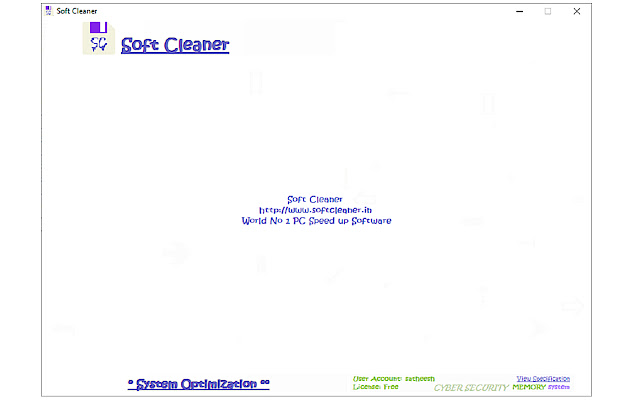
Soft Cleaner is excellent software which optimize and speed up your Windows PC very easily. Included with advanced search engines for searching disorder named files from a PC drive. It is called Multi - FilesSearch.
Multi - FilesSearch:
Powerful search up to ten different files at a time with ten different keywords. High speed search filter. Case sensitive search analysis.
Sensitive:
Highly case Sensitive search for a single file with ten different keywords.
Download & Working method:
http://www.softcleaner.in/live-analysis
FAQ: http://www.softcleaner.in/faq
Advantage of Multi - FilesSearch
Suppose you have some files may be personal files stored in a drive/directory. Your headache is about those file names not in an order or simply identify it.
For example personalmyfile or rsonalmyfile.doc.
If forgot the exact names and knows some parts of file name like myfile or personal(1) or sonal(2). Write those names and go a search in.
System Requirement
Recommended 64 Bit OS: Windows 8/10/Server, 32/64.
About Windows 7:
Windows 7 Ultimate 64 SP1-IE11(Latest Service Pack/Latest Versions/.NET Framework.)
=============================================
Sensitive
Highly case Sensitive search for a single or exact file with ten different keywords.
Search one or particular file
(filename: searchhost/hostsearch/aerolite.dll/dllaero.lite/litedll.aero)
Example 1: search host
Example 2: Aero, dll, lite
Example 3: lite aero dll
Example 4: aero, dll
Example 5: lite
Search Path: C:\ or D:\ or any path
Suppose if the file name is hostsearch and you didn't find where the file is.
Go to Sensitive, type host, search, C:\\ or D:\ or any, Analyse.
The results will be stored in desktop 'Soft Cleaner Multi - FilesSearch.txt' file. From there you can see exact directory or drive of that file. You can easily locate your file by once you knows to search file by this way. See below another example.
=============================================
How to Remove Leftover Files after Uninstalling Apps
Suppose you uninstalled an application “app1.exe” or “app1”.
Steps:
Take Soft Cleaner CPanel.
Go to Sensitive.
Remove “File1, File2, ..File10” and type app1, exe in to there. (Do not write dot(.) instead of comma(,).
Remove “Search Path” and type C: or previously installed drive, default C: or C:\ or C:\\ or any if you are geek user defined location.
Go to Analyse until completion.
Open “Soft Cleaner Multi - FilesSearch.txt” from desktop.
Go to Edit then Replace section, Find what to [Search: app1] Replace with (space), Tick Match case.
Go to Replace All and Save (Ctrl+S), and copy all paths or Ctrl+A and Ctrl+C.
Open “Soft Cleaner - Virus Cleaner.txt” from desktop.
Remove any other previously defined path here, Ctrl+A then Delete, then paste every new path here from “Soft Cleaner Multi - FilesSearch.txt” or Ctrl+V and Ctrl+S.
Go to CPanel “Virus Cleaner”, “Analyse”, Watch “Path” section beneath [VIRUS CLEANER], “Optimize”, wait for completion, may take some long time.
Restart your computer. One more time go to CPanel “Virus Cleaner” then “Analyse”. Watch “Path” section beneath [VIRUS CLEANER] “Locations Unreachable”.
Note: Only one drive Analyse at a time. Quotes (“) must exclude in file search even path and name.
=============================================
Extore is a team of professionals who are passionate about creating extensions for web browsers. This devotion also gives us opportunity to appreciate work of other people. We get inspired by useful, open source extensions made by developers all over the world. Our strong belief is that one should share helpful add-ons with others. That’s why we’d like to present you our ever-growing list of favourite extensions that have inspired us. Moreover, as you probably have already learned, sometimes struggling for the best brings an end to the good. Talking about add-ons it often turns out that an upgrade is worse then previous version. Also it can become really tricky to get back to the beloved version of your favourite extension. That’s why we’re going to make not only the latest, but all versions of our favourite (and we hope yours too) add-ons available for download. No more compromises, just stick to the version you really like!
 Preparing download link, please wait for seconds
Almost done...
Click to download
Error getting file. Please try again
Preparing download link, please wait for seconds
Almost done...
Click to download
Error getting file. Please try again







