
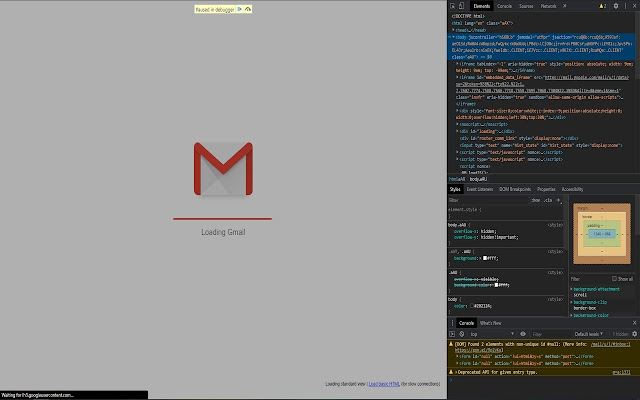

Have you wanted to pause execution of some web-page so that you can inspect the state of the page or various elements on it at some given moment. This of course can be trivial if you're trying to do this to your own website on localhost since you could just set a break-point or add the "debugger" keyword on the code. This however is not the case for other websites you may not own or have access to source code to. One workaround could be to manually enter the "debugger" keyword in the dev console but this can get complicated with dynamic pages and if you want to inspect the page mid transitions. break???? is built for this very use-case in mind.
break???? inserts "debugger" keyword in the current web-page. This means when you press a set combination of keys, it sets a break-point and halts the execution of the web-page????
Instructions:
1. Default mode
By default, pressing Ctrl + ` will activate the debugger in any web-page with 0 seconds of timeout delay
2. Custom mode
Contrarily, you could set your own key combo and timeout to trigger the debugger break.
Press Ctrl + <your_choice_of_letter> to trigger debugger in <your_choice_of_time> seconds.
Important Notes (Please read):
1. The Dev Console must be open on the webpage for this to work
2. The key press events are expected to come from the webpage's body so make sure to switch to the context of the webpage by clicking on any part of its body before triggering the debugger
3. The default mode is active by default and needs no explicit activation
4. The default mode can't be overwritten
5. Custom settings get eliminated as soon as you refresh the webpage and don't persist across pages
6. Any previous settings can't be overwritten unless the webpage is refreshed (except the default)
7. <Space_bar> key can't be used for the key combos
8. Negative values in the number input field will be interpreted as 0
P.S.: Source code: https://github.com/anmolshres/break
Information on "debugger" keyword: https://www.w3schools.com/jsref/jsref_debugger.asp
Extore is a team of professionals who are passionate about creating extensions for web browsers. This devotion also gives us opportunity to appreciate work of other people. We get inspired by useful, open source extensions made by developers all over the world. Our strong belief is that one should share helpful add-ons with others. That’s why we’d like to present you our ever-growing list of favourite extensions that have inspired us. Moreover, as you probably have already learned, sometimes struggling for the best brings an end to the good. Talking about add-ons it often turns out that an upgrade is worse then previous version. Also it can become really tricky to get back to the beloved version of your favourite extension. That’s why we’re going to make not only the latest, but all versions of our favourite (and we hope yours too) add-ons available for download. No more compromises, just stick to the version you really like!
 Preparing download link, please wait for seconds
Almost done...
Click to download
Error getting file. Please try again
Preparing download link, please wait for seconds
Almost done...
Click to download
Error getting file. Please try again







