



Xodo PDF Viewer & Editor
Xodo is an all-in-one PDF reader and PDF editor. With Xodo, you can read, merge, annotate, sign, and share PDFs and fill in PDF forms. You can open documents from your computer, Google Drive, and Dropbox.
• Fastest PDF viewing engine and smooth navigation
• All PDF processing is done locally, meaning unlike other apps you don’t have to wait for your PDF to upload to a server
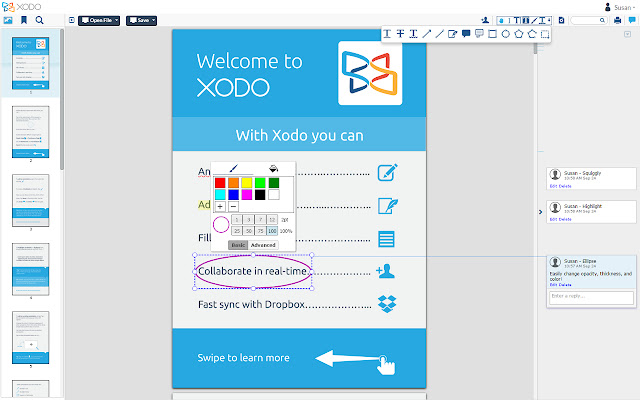
• Write directly on a PDF, highlight and underline text, and more
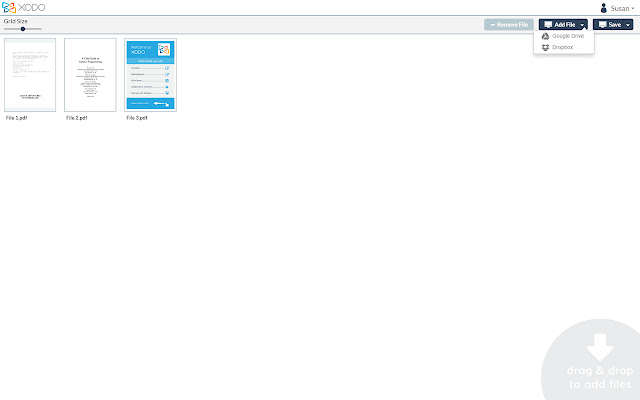
• Markup, merge, and edit documents from your local machine, Google Drive, or Dropbox
• Save edited PDFs to your local machine, Google Drive, or Dropbox
• Annotate PDFs with others in real time
• Fill PDF forms and sign documents
• Compatible with Adobe Acrobat® and other PDF viewers supporting standard PDF annotations
• Available for Android, iOS, Windows, and in any modern browser
• Free - no ads, in-app purchases, or premium tier
HIGHLIGHTS:
PDF Annotator and Editor
• Merge multiple files (PDF, PNG, JPG)
• Edit PDF pages: insert blank pages, delete, rotate, and change page order
• Draw and type directly on PDFs
• Highlight, underline, and strikeout text
• Add comments, arrows, circles, lines, and more
PDF Reader
• A PDF table of contents allows you to jump chapters and sections
• Print directly from Xodo
• Enjoy continuous vertical scrolling while viewing in single page, two pages, and cover page modes
Sign & Fill PDF Forms
• Fill out, save, and send PDF forms
• Sign a document by hand, and save your signature for later reuse
File Manager
• Store all of your documents in one place with the Xodo Bookshelf, also accessible from the Xodo Android app
• Easily add documents from your computer, Google Drive, and Dropbox to your Bookshelf
• See all documents shared with your account in one convenient location
Annotate PDFs with others
• Invite people to view or annotate your PDF online in real time in their browser
• Share your document with a public link or with emailed invitations
Make Xodo Better:
Have an idea to make Xodo PDF even better? We'd love to hear it! Please add your idea and vote on other ones here: http://goo.gl/mE8lrv. Community interest plays a big part in how we prioritize upcoming features, so let us know what's important to you.
Xodo | Transforming how the world works with PDFs | @XodoPDF | http://www.xodo.com | http://www.xodo.com/legal
Xodo is powered by PDFTron | http://pdftron.com
Extore is a team of professionals who are passionate about creating extensions for web browsers. This devotion also gives us opportunity to appreciate work of other people. We get inspired by useful, open source extensions made by developers all over the world. Our strong belief is that one should share helpful add-ons with others. That’s why we’d like to present you our ever-growing list of favourite extensions that have inspired us. Moreover, as you probably have already learned, sometimes struggling for the best brings an end to the good. Talking about add-ons it often turns out that an upgrade is worse then previous version. Also it can become really tricky to get back to the beloved version of your favourite extension. That’s why we’re going to make not only the latest, but all versions of our favourite (and we hope yours too) add-ons available for download. No more compromises, just stick to the version you really like!
 Preparing download link, please wait for seconds
Almost done...
Click to download
Error getting file. Please try again
Preparing download link, please wait for seconds
Almost done...
Click to download
Error getting file. Please try again







