
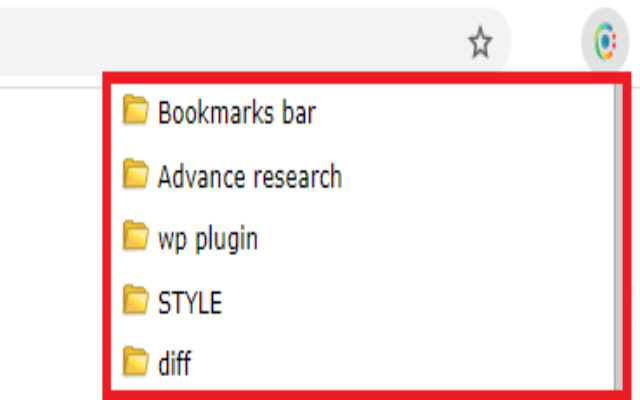

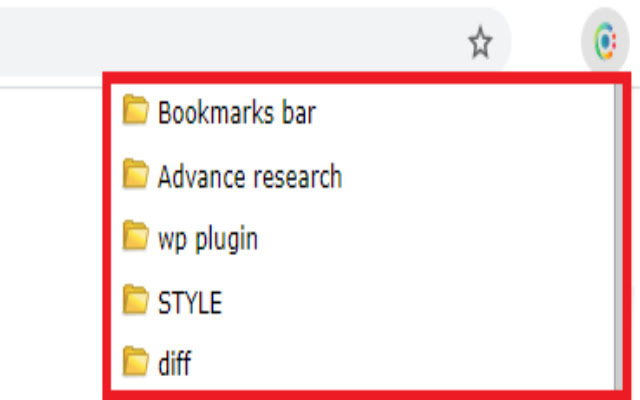
Don't you feel bookmark bar and its folders irritating while you are browsing?
Add a toggleable Icon with all your bookmarks at the top right corner of your browser window.
Now Say Good bye to Bookmark bar :)
*************************************
Now CB Bookmarking tab will arrange and manage your bookmarks.
Utilize more browsing space simply by removing your Bookmark bar.
**************************
* Press Ctrl + Shift + B *
**************************
How to use CB Bookmark Tab Extension
1. Click on Add to chrome button on this page above this description.
(you will see an icon added to your chrome at top right corner)
2. Click on it.
3 Now add/edit/remove these from the CB Bookmark Tab Popup
*************************************
Why should you Add "CB Bookmark Tab"
* Student -- If you are a Student then you can arrange your files and assignments in a systematic way.
* SEO -- This is most important tool for you as most of the time your bookmark bar have lots of stuff and you need to arrange them in a systematic way folder-wise like Dictionary/profile submission, Google sheets, Clients, important tools like ahref, ubersugest, and many more.
* Teacher -- Again you need to Arrange tutorials and assignments in a date wise folders, sub-folder
* You-tuber -- you need this tool too to manage a playlist URL list, video list, no. of tutorials and tools list, thumbnail editing sites
* Web developer -- I need not to explain as i am in this profession. I have more than 200 bookmarks and i manage then in such a small tab. and i need more space and clean screen while programming.
**************************************************************
* I would love to bring more solutions for you share *
* your comments and reviews below how you feel to use it.*
* But before this use it properly. *
* Also explore options by right click on Bookmark tab. *
***************************************************************
Whats the next you want us to Develop for you?
Share it with us. We love you all. We are working here for you. :)
This extensions allows you to access your bookmarks by clicking on our icon at top right corner of your screen. You can edit, delete or rearrange your bookmarks by drag&drop and view some information about them by just clicking them with your left mouse key. You can check your bookmarks for updated or broken URLs, too.
If you found a bug, have ideas for features or improvements, please let us know.
Extore is a team of professionals who are passionate about creating extensions for web browsers. This devotion also gives us opportunity to appreciate work of other people. We get inspired by useful, open source extensions made by developers all over the world. Our strong belief is that one should share helpful add-ons with others. That’s why we’d like to present you our ever-growing list of favourite extensions that have inspired us. Moreover, as you probably have already learned, sometimes struggling for the best brings an end to the good. Talking about add-ons it often turns out that an upgrade is worse then previous version. Also it can become really tricky to get back to the beloved version of your favourite extension. That’s why we’re going to make not only the latest, but all versions of our favourite (and we hope yours too) add-ons available for download. No more compromises, just stick to the version you really like!
 Preparing download link, please wait for seconds
Almost done...
Click to download
Error getting file. Please try again
Preparing download link, please wait for seconds
Almost done...
Click to download
Error getting file. Please try again







