

EKVault is a password manager that locally stores your passwords in a encrypted way. If you want EKVault can generate strong and unique passwords for you.
Store your passwords:
With EKVault you never have to write down your passwords, it will remember passwords for you.
Remember only one last password, your master password.
Passwords stored with EKVault aren't readable for attackers when they don't have the master password, because they are encrypted with AES.
Generate your passwords:
EKVault does not make the human mistake of basing passwords on other passwords, they are truly random.
Why use a password manager?
A password manager can mainly prevent two common types of attacks, a dictionary attack and guessing passwords based on personal information. A password manager negates these attacks by generating truly random passwords.
A password manager also prevents attackers from just reading your passwords as plain text, because it stored passwords in a encrypted way.
A password manager also makes using all these different passwords a lot easier, since you only have to remember one password and the password managers couples domains and usernames to specific passwords.
Why use EKVault as password manager?
EKVault is one of the few password managers that doesn't use any internet connection at all, on top of that EKVault is among the few that allows for local backups and discloses it's encryption algorithm. EKVault only keeps decrypted passwords in memory for the minimal time required to use them.
Usage:
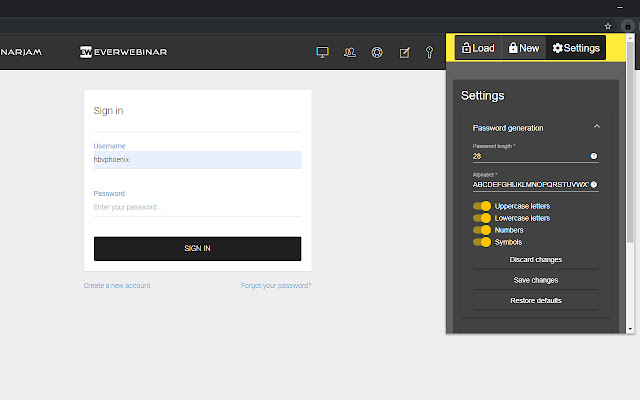
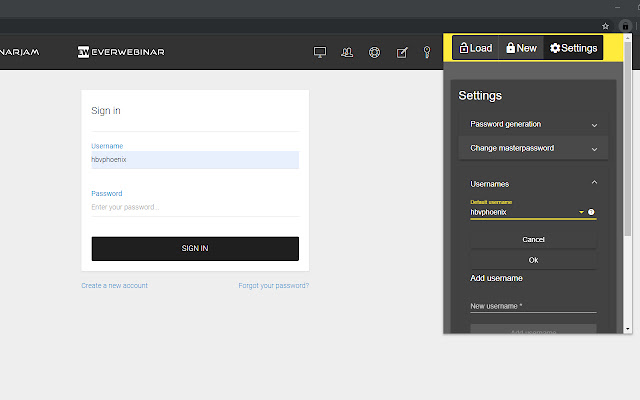
- Add one or more usernames in the settings panel
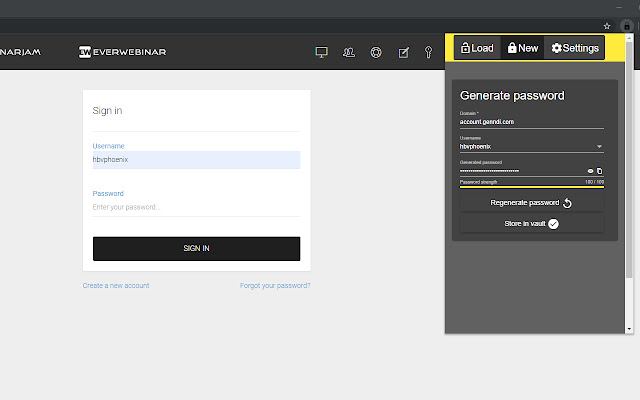
- Generate new passwords for your selected username in the new panel
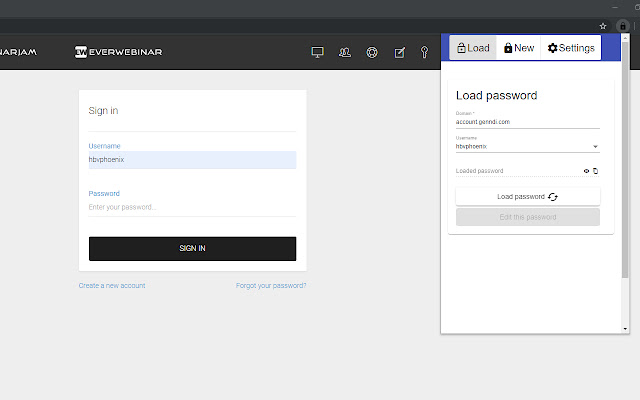
- Load your passwords in the load panel
Features:
- Store passwords in encrypted format
- Import/Export encrypted passwords from/to your filesystem
- Import/Export your settings
- Generate cryptographically strong passwords
- Edit your passwords whenever you need to
- No internet connection required, we dont send any data about you or your passwords
- Dark and Light theme available
- Customize generated password length
- Customize generated password character sets
- Keep track of your usernames, and just select the username you want to use
Check the source at GitHub: https://github.com/erikknaake/EKVault
Extore is a team of professionals who are passionate about creating extensions for web browsers. This devotion also gives us opportunity to appreciate work of other people. We get inspired by useful, open source extensions made by developers all over the world. Our strong belief is that one should share helpful add-ons with others. That’s why we’d like to present you our ever-growing list of favourite extensions that have inspired us. Moreover, as you probably have already learned, sometimes struggling for the best brings an end to the good. Talking about add-ons it often turns out that an upgrade is worse then previous version. Also it can become really tricky to get back to the beloved version of your favourite extension. That’s why we’re going to make not only the latest, but all versions of our favourite (and we hope yours too) add-ons available for download. No more compromises, just stick to the version you really like!
 Preparing download link, please wait for seconds
Almost done...
Click to download
Error getting file. Please try again
Preparing download link, please wait for seconds
Almost done...
Click to download
Error getting file. Please try again







