

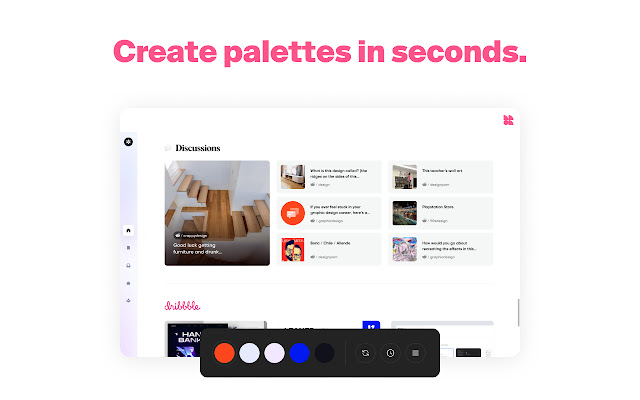

Chroma is a free, user-friendly color tool that allows you to easily sample colors from your screen while browsing the internet. It is highly intuitive and simple to use.
Chroma includes a variety of features to help you work with colors. What's inside:
✺ An eyedropper tool
✺ A color picker tool
✺ A palette builder
✺ HEX/RGB/HSL values
✺ Random color palette generator
✺ A color history feature
✺ The ability to copy colors to your clipboard
✺ A draggable toolbar
✺ Tints and shades for any color
✺ Light and dark color theme options
✺ The ability to generate unique URLs for referencing and sharing palettes.
To use Chroma, simply open the extension and hover over the screen with the eyedropper tool to select the color you want to sample. The HEX value of that color will be automatically copied to your clipboard.
You can also create a palette based on a range of colors from the page, and generate a unique URL for saving or sharing the palette.
Chroma is designed for designers, developers, and other professionals, but is easy enough for anyone to use. It requires no registration or setup, and is completely private. Simply click the extension button and start working with color. ????
Thanks for trying Chroma! \(^-^)/
Would you like to try a demo before installing? Try it here: https://chroma.dev/try
•·················•·················•
Follow Chroma on Twitter:
http://twitter.com/ChromaDotDev
Or sign up to receive updates by email: https://dev.us14.list-manage.com/subscribe/post?u=b17b9ff8c3dcec2f313a5c348&id=d207429c6e
Want to open Chroma with a keyboard shortcut? Go to chrome://extensions/shortcuts and set your own.
Want to request new features, report a bug, or offer feedback? Fill out our customer feedback survey: https://forms.gle/1H1RN51vQbRy1eho9
Have a question? Send us a message at: [email protected]
By installing the extension, you agree to Chroma’s Privacy Policy (https://chroma.dev/privacy) and Terms of Use (https://chroma.dev/terms).
Team Chroma:
Eric Uldall: github.com/ericuldall
Timothy Long: github.com/timothylong
Extore is a team of professionals who are passionate about creating extensions for web browsers. This devotion also gives us opportunity to appreciate work of other people. We get inspired by useful, open source extensions made by developers all over the world. Our strong belief is that one should share helpful add-ons with others. That’s why we’d like to present you our ever-growing list of favourite extensions that have inspired us. Moreover, as you probably have already learned, sometimes struggling for the best brings an end to the good. Talking about add-ons it often turns out that an upgrade is worse then previous version. Also it can become really tricky to get back to the beloved version of your favourite extension. That’s why we’re going to make not only the latest, but all versions of our favourite (and we hope yours too) add-ons available for download. No more compromises, just stick to the version you really like!
 Preparing download link, please wait for seconds
Almost done...
Click to download
Error getting file. Please try again
Preparing download link, please wait for seconds
Almost done...
Click to download
Error getting file. Please try again







